
 Need help?
Do you have a question about the Barnes & Noble NOOK GlowLight and is the answer not in the manual?
Introduces the NOOK and its purpose, guiding users through setup.
Details the Power Button, Touchscreen E Ink Display, NOOK Button, and Micro-USB Port.
The initial setup process for the NOOK device, requiring Wi-Fi.
Information on setting up and using a B&N account for purchases and synchronization.
Guide to register the NOOK with a Barnes & Noble account via Wi-Fi.
Instructions for powering the NOOK device on and off.
Methods for charging the NOOK using a computer or power adapter.
Instructions for performing a soft reset on the NOOK device.
Precautions regarding water, liquids, and electrical safety.
Precautions with electronics and battery maintenance.
Instructions for cleaning the touchscreen and using protective covers.
Explains tap, double tap, and press/hold gestures for interaction.
Explains swipe for page turns and scroll for lists.
Description of the Quick Navigation Bar and its three main buttons.
Explanation of icons like clock, Wi-Fi, battery, and GlowLight status.
Methods to turn the built-in reading light on or off.
How to adjust the intensity of the reading light.
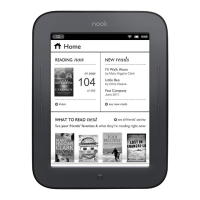
Displays recent reads and personalized book recommendations.
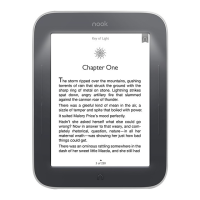
How to open a book and understand the page display.
Methods for navigating between pages of a book.
Accessing tools for content, find, goto, text, and more.
How to set, view, remove, and clear bookmarks in a book.
How to add, view, edit, remove, and control visibility of notes.
How to select text for lookup, notes, sharing, or highlighting.
Using the built-in dictionary to find word definitions.
Saving storage space by archiving and making content available again.
How to transfer files like EPUBs and PDFs from a computer.
Overview and guidelines for sharing and borrowing books.
Managing friends, requests, and invitations for book lending.
How to browse and buy books, magazines, and newspapers from the store.
How to add items to a wishlist and buy them later.
How to turn GlowLight on/off and adjust its brightness.
Viewing device info and options to erase/deregister.
Configuring Wi-Fi connections and screen timeout/screensavers.
Setting time, time zones, and shop purchase preferences.
Managing social media links, contacts, and friend visibility.
How to connect to different types of Wi-Fi networks.
Installing updates wirelessly or via USB.
Addresses issues like sluggishness, password changes, and screen unresponsiveness.
Steps for changing the BN.com account password after deregistration.
Explains EPUB and PDF formats and their page numbering behaviors.
Details the one-year limited warranty, coverage, and claim procedures.
 General
| Display Size | 6 inches |
|---|---|
| Storage | 4 GB |
| Connectivity | Wi-Fi |
| GlowLight | Yes |
| Waterproof | No |
| Front Light | Yes |
| Resolution | 1024 x 758 pixels |
| Display Technology | E Ink |
| Supported Formats | EPUB, PDF, JPG, GIF, PNG |
| Dimensions | 6.5" x 5.0" x 0.33" (165 mm x 127 mm x 8.4 mm) |




 To Next Page