
 Need help?
Do you have a question about the Barnes & Noble NOOK Simple Touch and is the answer not in the manual?
Connect to USB, charge for 3.5 hours. Optional adapter available.
Read and agree to the terms displayed on the device.
Choose your correct time zone for accurate display.
Essential for registering and downloading content.
Link to BN.com for library access and purchases.
Steps to wake and unlock the NOOK.
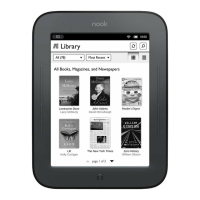
Locate content via the Library.
Tap a cover to open and read.
Various ways to advance pages within a book.
 General
| Color | No |
|---|---|
| Technology | - |
| Display diagonal | 6 \ |
| Display resolution | 800 x 600 pixels |
| Image formats supported | BMP, GIF, JPG, PNG |
| Document formats supported | ePub, PDF |
| Compatible memory cards | MicroSD (TransFlash) |
| Maximum memory card size | 32 GB |
| Internal storage capacity | 2 GB |
| Wi-Fi | Yes |
| Wi-Fi standards | 802.11b, 802.11g, Wi-Fi 4 (802.11n) |
| USB connector type | Micro-USB A |
| Battery life (max) | - h |
| Product color | Black |
 Weight and Dimensions
| Width | 127 mm |
|---|---|
| Height | 177.8 mm |
| Weight | 362 g |




 To Next Page