
 Need help?
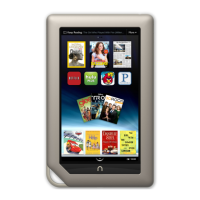
Do you have a question about the Barnes & Noble NOOK Tablet and is the answer not in the manual?
Provides contact information for support and assistance regarding the NOOK device.
Instructions on how to follow NOOK on social media platforms for updates and offers.
Introduces the core features and capabilities of the NOOK device.
Explains the importance and setup of a B&N account for NOOK purchases and synchronization.
Step-by-step guide to register the NOOK device with Wi-Fi and a Barnes & Noble account.
Instructions on how to watch introductory and other tutorial videos for the NOOK.
Explains the process of powering the NOOK device on and off.
Details on how to charge the NOOK using the provided power adapter and cable.
Safety precautions regarding water and liquid exposure for the NOOK.
Basic safety procedures when using the NOOK as an electrical device.
Guidelines for using the NOOK while on an airplane.
Precautions when using the NOOK near sensitive electronic equipment.
Information about the NOOK's non-replaceable lithium ion battery.
Warning about potential hearing damage from prolonged loud audio exposure.
Recommended operating and storage temperature ranges for the NOOK.
Steps to wake the NOOK from sleep mode using the NOOK button.
Procedures for unlocking the NOOK using a passcode or gesture.
Explanation of the tap gesture for interacting with the NOOK screen.
Description of the double-tap gesture and its uses.
How to use the press and hold gesture for menus and text selection.
Explanation of the swipe gesture for scrolling and navigation.
How to use the scroll gesture for navigating lists and content.
Description of the drag gesture for moving items on the screen.
How to use pinch gestures to zoom in and out on images or content.
Navigates to the Home screen, showing the Daily Shelf and recent items.
Accesses all downloaded books, magazines, and newspapers.
Connects to the Barnes & Noble NOOK Store for purchasing content.
Allows searching across library, store, and the web.
Provides access to installed applications like Email and NOOK Friends.
Opens the NOOK's web browser for internet access.
Accesses device configuration options for various settings.
Describes icons and indicators on the left side of the status bar.
Describes indicators on the right side, like battery and Wi-Fi.
Displays the current date within the quick settings menu.
Shows the current battery charge level and charging status.
Allows turning Wi-Fi on/off and shows the connected network.
Option to mute or unmute all system sounds on the NOOK.
Explains the Home Screen layout and panel navigation.
Accesses recently read items and recommendations.
Information about customizing the Home Screen background image.
Describes the Daily Shelf and how to manage its contents.
Accesses lists of recently accessed items and recommendations.
Instructions on how to navigate back to the Home Screen from other activities.
Guide to reading books, customizing display, and turning pages.
Describes how content is displayed on the reading screen.
Instructions for navigating between pages in a book.
Accesses tools for navigation, search, sharing, and display settings.
Accesses table of contents, notes, and bookmarks within a book.
Enables searching for words or phrases within the current book.
Options for sharing quotes, ratings, and reading status.
Adjusts font, size, spacing, and background color of text.
Adjusts screen brightness for reading.
Provides book recommendations and reviews.
Syncs reading progress across devices.
Instructions on how to set a bookmark on the current page.
How to view a list of all bookmarks in the current book.
Steps to remove a single bookmark from the current page.
How to remove all bookmarks from the current book.
Guide to selecting text using touch gestures.
How to adjust selected text to cover a passage.
Option to highlight selected text with a colored background.
Opens a window to write notes about selected text.
Allows sharing selected quotes via social media or email.
Displays dictionary definitions or searches Wikipedia/Google.
Automatically searches the book for other instances of selected text.
How to use the built-in dictionary to find word definitions.
How to search for information using external web resources.
Instructions for sharing highlighted passages via email, Facebook, or Twitter.
Steps to add a note to a specific passage in a book.
How to open and read an existing note.
Instructions on how to modify an existing note.
How to change the color of highlighted text associated with a note.
Steps to delete a note from a book.
How to display all notes made within a book.
Controls the visibility of note icons in the text.
How to use the search tool within a book.
Adjusts the font size of the text in books.
Options for selecting different font styles for reading.
Options for changing the background and text color scheme.
Adjusts the spacing between lines of text.
Adjusts the margins around the text on the page.
Uses publisher's recommended formatting settings.
How to adjust the screen brightness while reading.
Finds book recommendations and similar titles.
How to zoom in and out on images within books.
How to switch between landscape and portrait viewing modes.
Explains how to unlock books protected by Digital Rights Management.
Describes differences in reading PDFs, including zoom and page view options.
Instructions for navigating pages and skipping sections in Kids Books.
Options for reading NOOK Kids books: Read by Myself, Read to Me, Record.
How to read a NOOK Kids book in 'Read by Myself' mode.
How to enlarge text and images in NOOK Kids books.
Instructions for playing audio tracks in 'Read to Me' and 'Read and Play' books.
Information about interactive features and activities in Read and Play books.
Step-by-step guide to record yourself reading a NOOK Kids book.
Details on stopping, playing, re-recording, and exiting recordings.
How to name and add a picture label to a recorded story.
Instructions on how to play back recorded audio files.
How to edit or delete recorded stories.
Instructions for turning pages in NOOK Comics books.
How to use thumbnails to navigate within comics.
How to zoom in on panels and images in comics.
How to bookmark pages in NOOK Comics.
Explains the two viewing modes for magazines: Page View and Article View.
Describes how to view magazine articles without illustrations.
Instructions for navigating between newspaper pages.
How to access tools like contents, search, and text settings for newspapers.
Overview of the library section where all content is stored.
Accesses downloaded books.
Accesses downloaded magazines.
Accesses downloaded newspapers.
Accesses downloaded applications.
Accesses content for children.
Accesses sideloaded content and custom views.
Organizes content into custom groups.
Accesses files transferred from a computer.
Manages lending and borrowing of books.
Accesses content not categorized elsewhere.
Accesses content archived in the BN Lifetime Library.
Downloads purchased content from other devices.
Searches for publications within the NOOK Library.
Information about using an SD memory card for expanded storage.
Options for sorting and arranging books in the library.
Options for sorting and arranging magazines in the library.
Options for sorting and arranging newspapers in the library.
How to open content from the library.
Explains badges and information shown on content covers.
Explains various badges like 'New', 'Sample', 'Download'.
Steps to create custom shelves for organizing content.
How to add or remove content from created shelves.
Instructions to change the name of an existing shelf.
Steps to delete a custom shelf.
Saves storage by moving content to the BN Lifetime Library.
Restores archived content back to the NOOK.
Permanently removes content from NOOK and BN account.
How to access files stored on an installed SD memory card.
Guide to transferring files like documents and media from a computer.
Lists the types of document and Office files supported by NOOK.
Lists supported music file formats.
Lists supported video file formats and specifications.
Steps to open and start using the NOOK Friends application.
Describes the navigation bar and its main feature buttons.
Displays recent activities of friends, like recommendations and shares.
How to purchase items mentioned in friends' activities.
How to send invitations to contacts or Facebook friends.
How to import contacts from a Google account.
Displays an alphabetical list of all connected NOOK Friends.
Lists pending NOOK Friend invitations received.
Lists NOOK Friend invitations that have been sent.
Explains the process of sharing lendable NOOK Books.
Details on the rules and eligibility for lending and borrowing books.
How to identify books that are eligible for lending.
Lists lendable books within the NOOK Friends app.
Lists borrowed, lent, and lendable books in the main Library.
How to control the visibility of your lendable books list.
Steps to offer a book to a NOOK Friend.
How to lend books to non-NOOK Friends via email or Facebook.
How to find books available for borrowing from friends.
How to view a specific friend's lendable book list.
How to see books offered by friends.
How to see books requested by friends to borrow.
Steps to accept or decline a friend's book borrowing request.
How to view borrowed books and their loan status.
Displays your NOOK Friends profile information and activities.
Explains how to navigate categories and lists in the NOOK Store.
How to search for content within the NOOK Store.
Steps to purchase books from the NOOK Store.
Describes the process after purchasing an item.
How to purchase individual issues of periodicals.
How to subscribe to magazines and newspapers.
Steps to purchase and download applications.
Manage payment methods for purchases.
Add and manage gift cards for purchases.
View and manage items added to your wishlist.
View a list of recently browsed items in the Shop.
How to add items to your NOOK wishlist.
How to view the contents of your wishlist.
How to purchase items directly from your wishlist.
Special features and privileges for reading in a store.
Limits search scope to the NOOK Library content.
Expands search to include Web, Apps, Music, and Shop.
How to type words with accents using the on-screen keyboard.
Steps to launch the NOOK's web browser.
Displays the current URL and allows navigation.
Navigates to the previous page viewed.
Manages saved web page addresses for quick access.
Accesses browser functions like new windows and refresh.
How to enter URLs or select from history to visit web pages.
Steps to open an additional browser window.
How to reload the current web page.
Adds the current page to bookmarks using the star icon.
Adds the current page to bookmarks via a pop-up menu.
Steps to remove a saved bookmark.
Changes the font size for web page text.
How to zoom content on web pages.
How to set a custom default home page for the browser.
Steps to disable the web browser using a restrictions passcode.
Steps to re-enable the web browser after disabling it.
Manages browser privacy options like cache, history, and cookies.
Manages browser security settings like passwords and warnings.
Switches between desktop and mobile browser modes.
Steps to open the email application.
Guides on setting up email accounts on the NOOK.
How to add more email accounts to the NOOK.
How to switch between different email accounts or use combined inbox.
Automatic configuration of email accounts.
Manual configuration of email server settings.
Steps to remove an email account from the NOOK.
Guide to writing and sending email messages.
How to open and read received email messages.
How to view and save email attachments.
How to reply to, reply all, or forward email messages.
How to organize messages into folders.
How to delete messages from the inbox or while reading.
How to search for emails by keyword or phrase.
Accesses settings to edit email account configurations.
Brief descriptions of available NOOK apps.
How to view all installed apps on the NOOK.
Steps to open an installed app.
How to exit an app and return to other activities.
Information on opening and reading Office files.
Information about the Music Player and Pandora apps.
How to transfer audio files from a computer.
How to play audio files from the Library.
Steps to open the Music Player app.
Explains the modes and controls of the Music Player.
How to create custom playlists in the Music Player.
Steps to launch the Pandora Internet Radio app.
How to create a Pandora account for streaming music.
How music plays while using other apps.
How to watch movies and TV shows using the Netflix app.
How to watch streaming content using the Hulu Plus app.
How to play transferred video files.
Shows battery status, storage, serial number, and software version.
Shows owner, account, software version, model, and serial number.
Resets NOOK to factory settings and unlinks account.
How to enable or disable Wi-Fi connectivity.
Steps to connect to available Wi-Fi networks.
Controls automatic screen rotation to landscape mode.
Adjusts the screen brightness level.
Sets the idle time before the screen turns off.
How to mute or unmute system sounds and keyboard clicks.
Controls volume for media playback.
Controls volume for system alerts and warnings.
Sets the clock format (12/24 hour) and time zone.
Sets a passcode to lock the device screen.
Defines passcodes for restricting app access like Web and Social.
Steps to set a passcode for device access.
How to disable the device lock passcode feature.
Disables features like NOOK Friends, Facebook, and Twitter sharing.
Enables PowerSave Mode to extend battery life.
Controls audible feedback for key presses.
Automatically capitalizes words and names.
Automatically corrects common typing errors.
How to change the Home Screen background image.
Removes recently opened items from the list.
Removes all items from the Daily Shelf.
Controls the visibility of media shortcut icons.
Customizes which items appear on the Daily Shelf.
Sets up password protection for purchases.
Disables password protection for purchases.
Deletes the search history within the Shop.
Displays the total balance of associated gift cards.
How to add gift cards or certificates to your account.
Enables automatic addition of Facebook friends to NOOK Friends.
Connects NOOK to Facebook, Twitter, and Google accounts.
Connects NOOK to Facebook for contact import and social sharing.
Connects NOOK to Twitter for sharing quotes and status.
Imports Google contacts for use with NOOK Friends.
Enables or disables page turn animations in eBooks.
Enables two-page display for PDFs in landscape mode.
Customizes which items the search tool looks through.
How NOOK connects to B&N store Wi-Fi.
How to connect to open, unsecured Wi-Fi networks.
How to connect to password-protected Wi-Fi networks.
Connecting to networks requiring terms acceptance or payment.
How software updates are downloaded and installed.
How to check the current NOOK software version.
Lists the supported types of SD memory cards.
Step-by-step guide to insert an SD memory card.
Instructions for safely removing an SD memory card.
Addresses common issues like screen responsiveness and file access.
Explains how page numbers vary across file formats like EPUB and PDF.
Information on using NOOK outside the US, including purchase and content access.
Details NOOK's support for various languages and fonts.
Details what is covered under the NOOK warranty.
Instructions for making a warranty claim or returning the device.
Procedures for returning the NOOK to Barnes & Noble.
Explains B&N's actions upon receiving a NOOK for warranty service.
Specifies the warranty duration for replaced devices.
What happens if the NOOK is not covered by warranty.
Lists exclusions from the limited warranty coverage.
Information on Adobe software and trademarks used in NOOK.
Information on AT&T trademarks.
Information on the Merriam-Webster dictionary used.
Trademark information for Facebook.
Lists trademarks for various font types used.
Trademark information for Hulu Plus.
Trademark information for microSD card types.
Trademark information for Netflix.
Trademark information for Wi-Fi Alliance.
Links to NOOK Terms of Service for more legal notices.
Lists FCC identification numbers for the NOOK device.
User information and compliance statements from the FCC.
Compliance statements regarding RF exposure limits.
Compliance notice from Industry Canada.
Declares conformity with EU directives and technical specifications.
Contact information for the responsible party in North America.
Information on product recycling and battery replacement.
Provides a link to the official NOOK Terms of Service.
Outlines the AT&T Wi-Fi internet service provided.
Details service charges, billing, and payment terms.
Conditions under which service may be suspended or terminated.
Explains AT&T's right to modify services and terms.
Describes limitations and interruptions of the AT&T service.
Requirements for accurate customer info and password security.
Disclaimer for third-party content and external links.
Information on AT&T's Wi-Fi privacy policy.
Outlines restrictions on using the AT&T service and materials.
Specifies limitations on the use of accompanying software.
Disclaims express and implied warranties for AT&T services.
Limits AT&T's liability for damages incurred from service use.
Customer's agreement to indemnify AT&T for service-related claims.
Customer's responsibility for data protection and AT&T's limited liability.
Discusses compliance with local laws and export regulations.
Restrictions on government use of service materials.
Governs the interpretation and enforcement of terms under Texas law.
Prohibits infringement of copyrights, trademarks, and other IP rights.
Policy to protect AT&T assets and the internet community from misuse.
Defines the scope of the AT&T Acceptable Use Policy.
Outlines AT&T's actions for AUP violations and required customer notices.
Lists activities prohibited under the AT&T AUP.
Prohibits using AT&T services for illegal activities.
Prohibits infringement of intellectual property rights.
Prohibits hosting or transmitting offensive or threatening content.
Policy regarding conduct with minors and child protection.
Prohibits sending unsolicited electronic messages and spam.
Addresses AT&T's rights regarding damages from spam transmission.
Customer's responsibility for network security and prohibited security breaches.
Details limits on bandwidth, disk usage, and data transfer.
Customer's responsibility for content and AT&T's role as a forum.
How to report violations of the Acceptable Use Policy.
Explains how AT&T may modify the Acceptable Use Policy.
 General
| Brand | Barnes & Noble |
|---|---|
| Model | NOOK Tablet |
| Category | eBook Reader |
| Language | English |




 To Next Page
