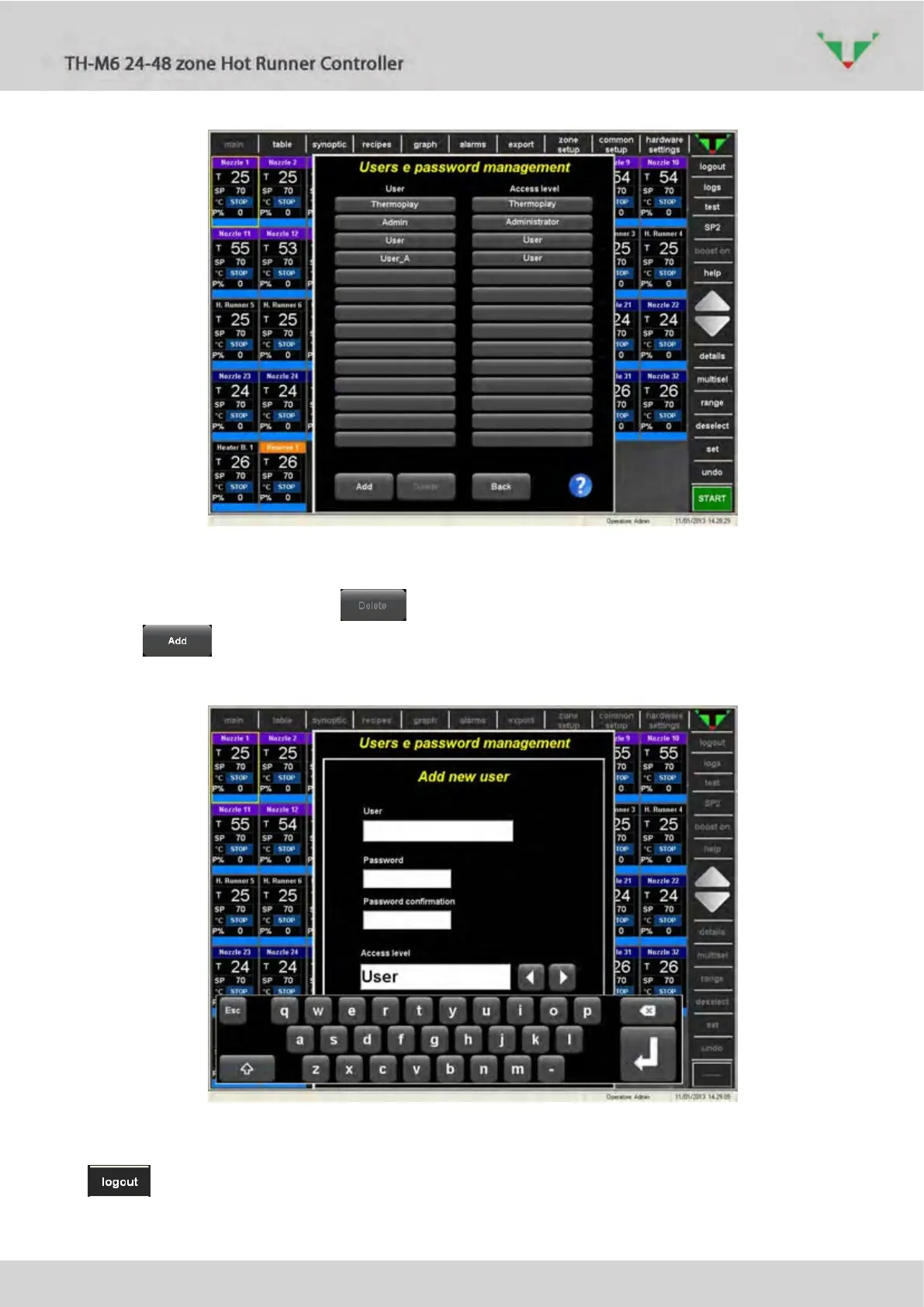
Figure 7: users management page
In this page a list of the available users and the corresponding access levels are displayed.
If one user is selected, button deletes it.
The button allows to create a new user and to specify what will be the relative
access level:
Figure 8: new user creation
After login was made, the active user is displayed in the lower bar (Table 5). Press the button
on the right side bar to make the logout.



 To Next Page