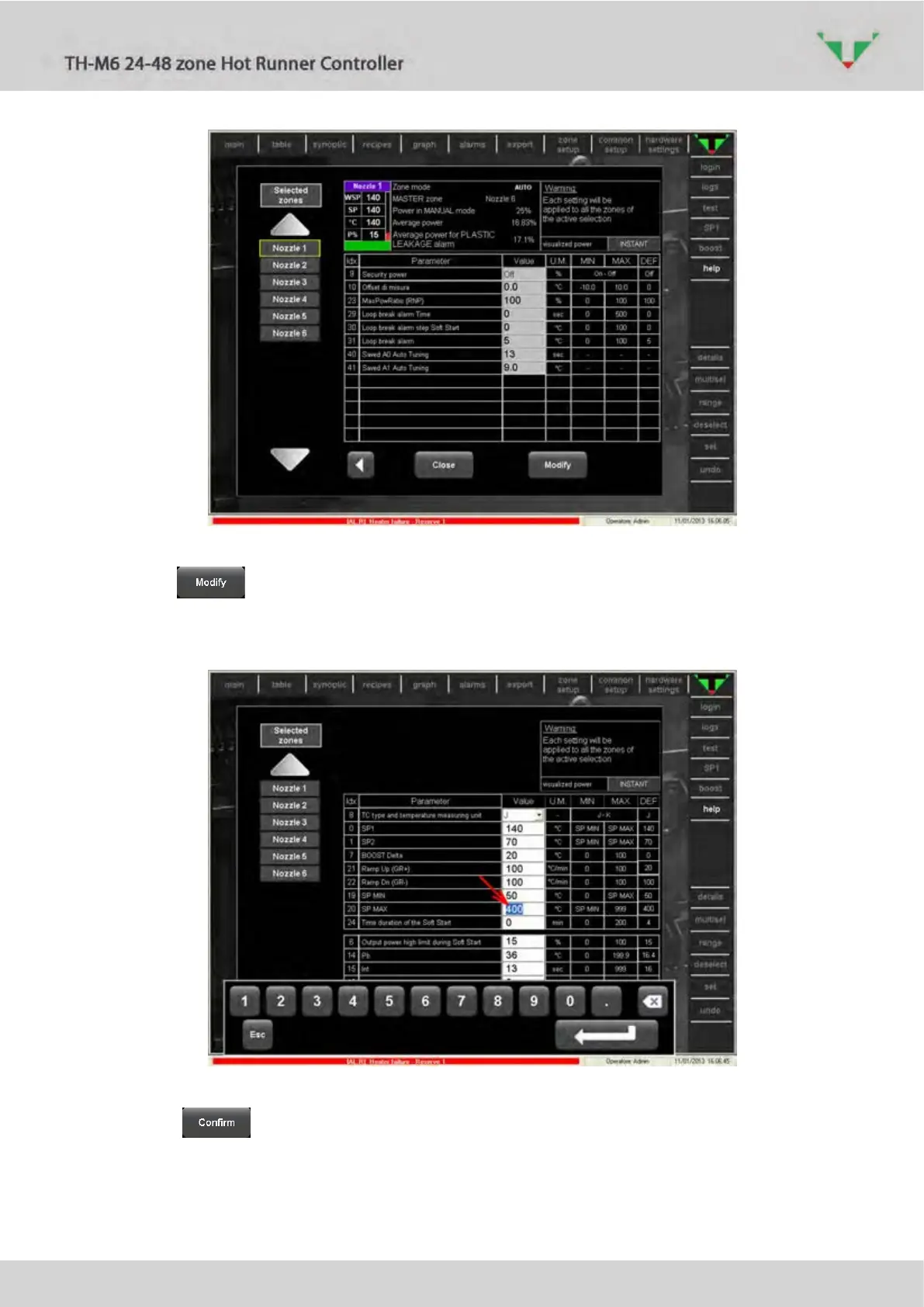
Figure 61: zone parameters, page 3
Click on button, then select the parameter that you want to modify (e.g. parameter
“SP MAX” in Figure 622, red arrow). Use the touch screen keyboard to input the new value, then
click on enter button.
Figure 62
Click on button to complete the operation. All the zone parameters (Figure 59,
Figure 60, Figure 61) will be write in all the zone of the left side list.



 To Next Page