BCS36x8
ex
Series Connection example
Type 17-A1S4-*HP* and B7-A2S4-****
Page 10 of 78
Subject to technical changes.
05/2020
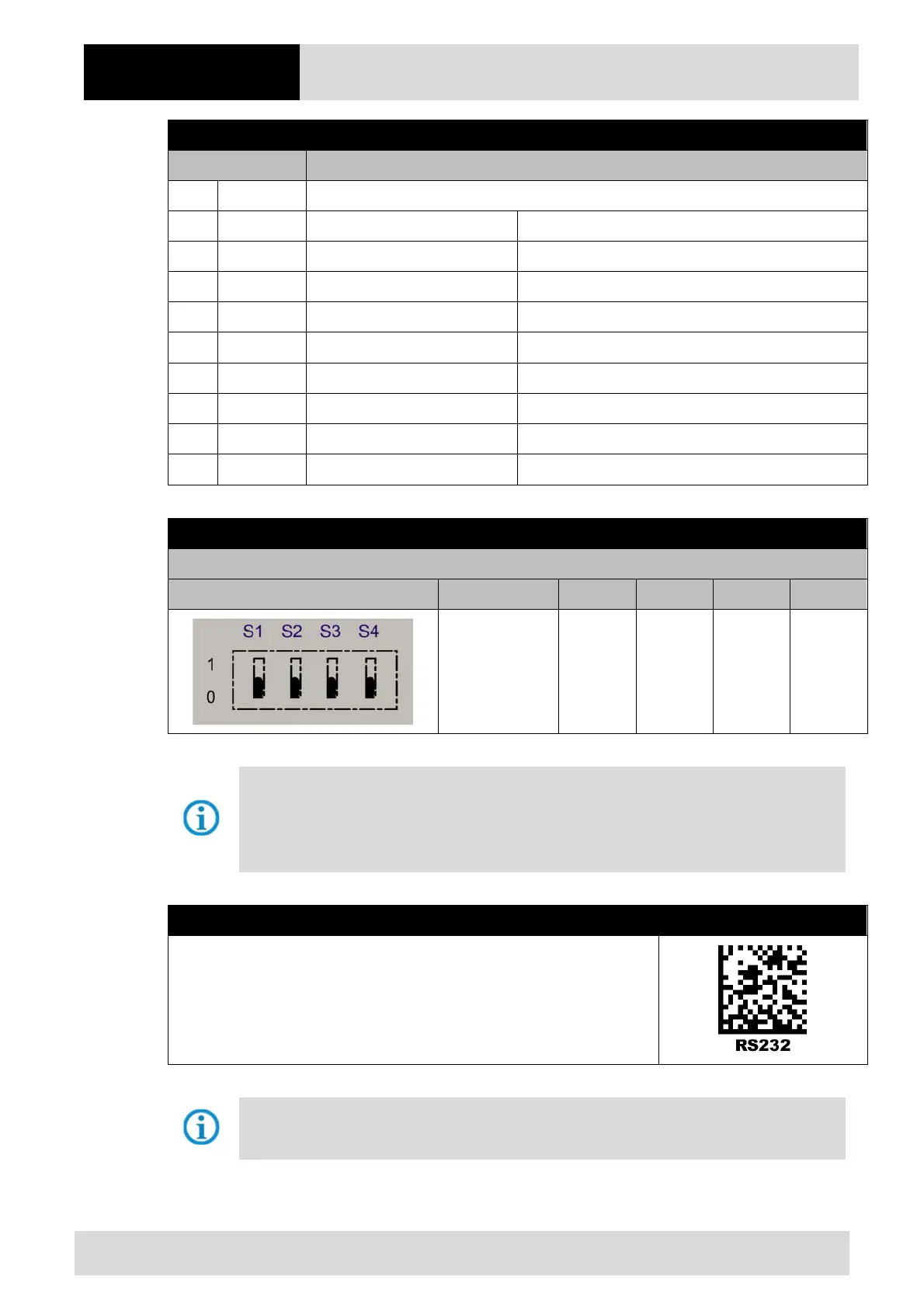
Universal supply module - terminal assignment
Terminal Mains connection / RS232 interface
X1 L (230V) L = 100 V
AC
to 240 V
AC
±10% / 50/60 Hz
X2 N (230V) N = Neutral conductor
X3 + (24V) 24 V
DC
+ ±10% / 0,4A
X4 - (24V) 24 V
DC
– ±10% / 0,4A
X5 1
TxD
X6 2
RxD
X7 3
RTS
X8 4
CTS
X9 GND
GND
X10 SHIELD
–
Universal supply module – 1
st
generation with DIP switch
Setting
DIP switch Interface S1 S2 S3 S4
RS232 0 0 0 0
The interface is set using DIP switches S1, S2 and S3.
DIP switch 4 is used to select whether the universal supply module is suitable for the wired or
Bluetooth hand-held scanner.
S4: 0 = wired / 1 = Bluetooth
Universal supply module – 2
nd
generation without DIP switch
Scan the programming code for the RS232 serial interface.
The universal supply module (USM) is already preset on the hardware side to the wired
scanner version.



 To Next Page