SETTING THROUGH WEB INTERFACE
3. SIP settings.
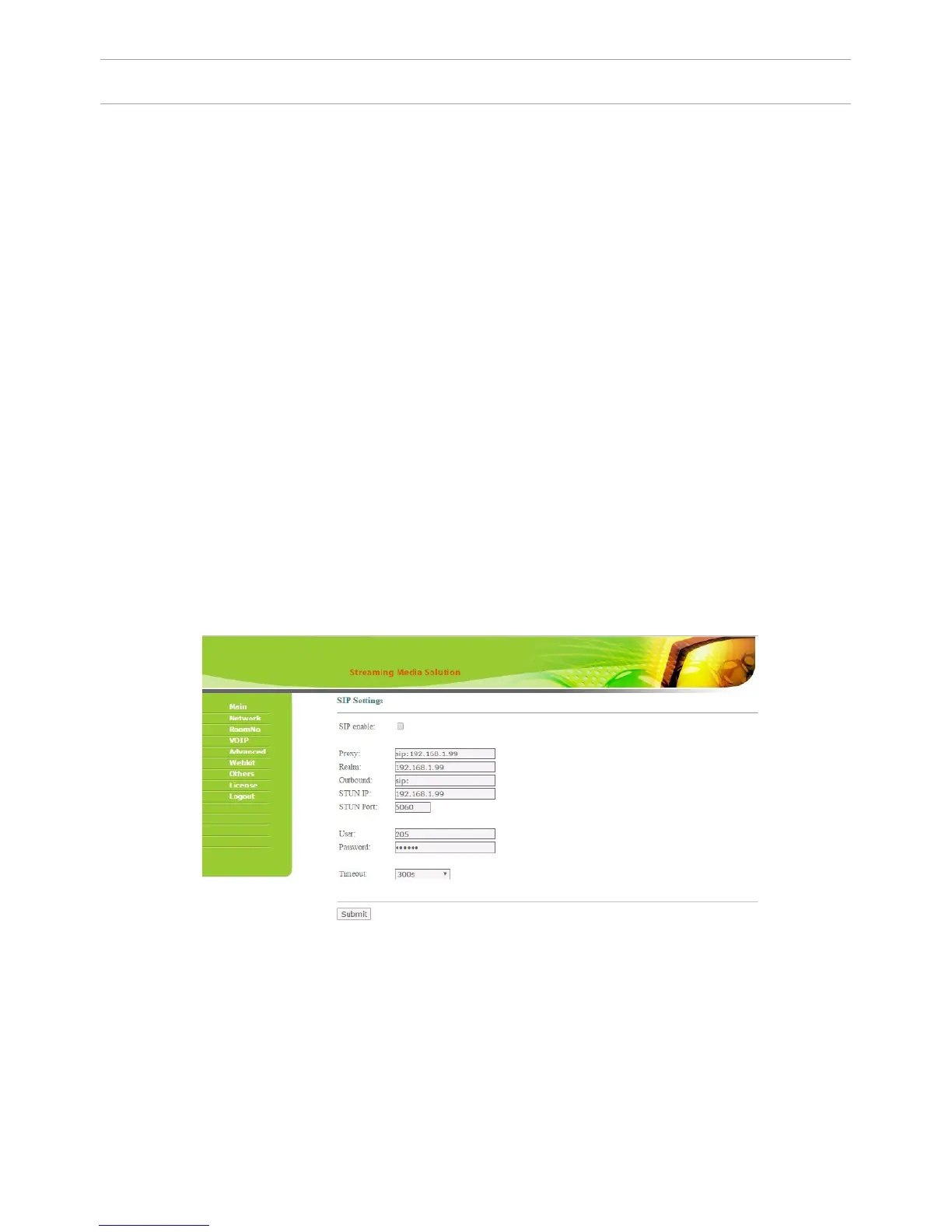
Select «VOIP» for the transition to SIP account settings:
Building (House): specify the house number which must consist of numbers with
values from 1 to 9999.
Entrance: specify the entrance number which should be set within the range from
1 to 99.
Floor: specify the oor number within the range of 0 to 99.
Apartment: specify the apartment number within the range of 0 to 99.
Note: The building, entrance, oor, and apartment number must match the address
of the internal monitor, which will receive a call from the given outdoor panel. For
example: If the outdoor panel has set the values like “Building” = 1, “Entrance” =
1, “Floor” = 0, “Apartment” = 5, it will make the call on the internal monitor which
has exactly the same values address settings in “Building”, “Entrance”, “Floor” and
“Apartment” elds.
Panel number: the serial number of individual outdoor panel, which is set within
the range from 1 to 9. The system password: specify a password for access to the
panel settings which is also an installer password, which is the default 123456.
Ringtone: select a call melody that will sound from the panel’s speaker as “Call
conrmation melody” at the time of making a call to the internal monitor or
SIP-client.
Proxy: SIP-server address can be specied as both the IP address and the domain
name. For example: sip: 192.168.1.99, or sip: sip.linphone.org.
Domain: domain address of SIP-server is often the same as the IP address of the
SIP-server.
Password: Enter the password for the SIP-account (SIP-number).
Stun IP and Stun Port: indicates if this monitor is mounted after NAT, for example,
a router.
Username: indicated directly SIP-account (SIP-number).
48



 To Next Page