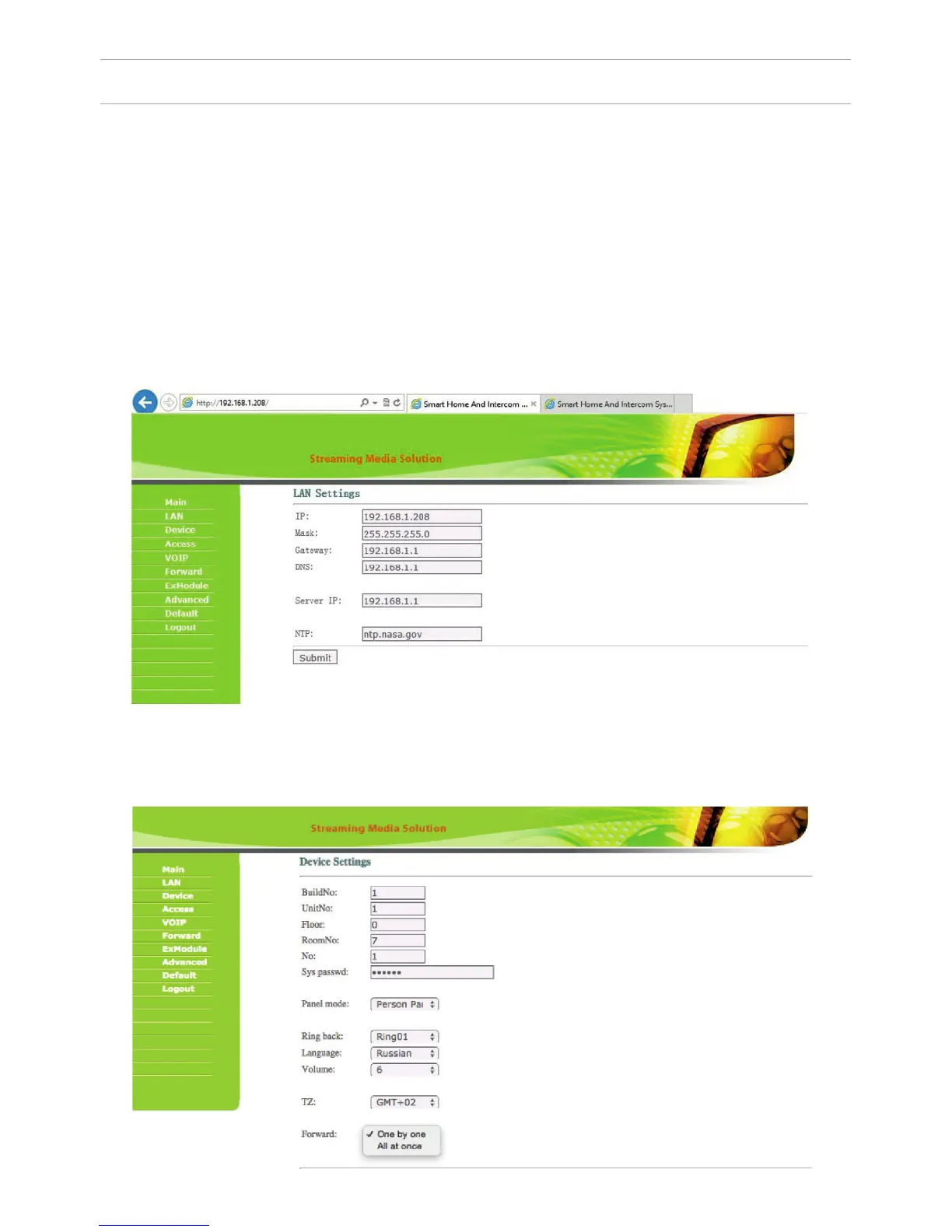
To congure the outdoor panel through the WEB-interface, you must connect to
it sing a web browser on a PC. The panel must be
connected to the same local network segment as the PC from which you plan
to make the settings. In the Internet browser in the address bar enter the IP-ad-
dress of the outdoor panel, and then enter your username and password. The
username to enter the settings: admin. The password required for entry must
match the password for access to the outdoor panel settings and is an installer’s
password, default: 123456.
1. Network Settings.
Select «Network» to access the network conguration settings:
7
SETTING THROUGH WEB INTERFACE
2. Device Settings.
Select «Device» to access the conguration of the Logical address, the operat-
ing mode and ringtones:



 To Next Page