Upper Threshold Moisture Sensor-Based Watering
Step 2 – Setting Up a Primary Zone and Configuring the Zone Settings
After you have defined the area that will be watered by the sensor-based strategy, identify the zones
that water that area. From those zones, select one to be associated with the sensor. Then, in the
controller, designate that zone as the primary zone.
In addition to being the zone that is associated with a sensor, a primary zone is the zone within a
scheduling group that all other linked zones are linked to. Changing the programming on this zone will
adjust the programming on all linked zones, resulting in saved time and consistency.
Note: The primary zones of a program always run first.
Prerequisites
• biCoders have been assigned to zones.
• If you are using soil moisture sensors, they have been installed and detected by the controller.
• You know the number of the zone that waters the area where the sensor is installed.
To assign a primary zone
1. Turn the dial to the Zones position.
2. Verify that the number displayed in the Program field matches the program in which you want to
set up the primary zone. If the zone is enabled in multiple programs and you want to set up the
primary zone in a different program, press the + or – button to change the program number.
Note: A zone can only be a primary zone in one program. The programs that this zone is assigned to
are listed in the lower-left corner of the screen.
3. Press the Next button to move to the Zone field, and then press the + or – button to select the zone
that you want to assign as a primary zone.
4. Press the Next button to move to the Zone Mode field.
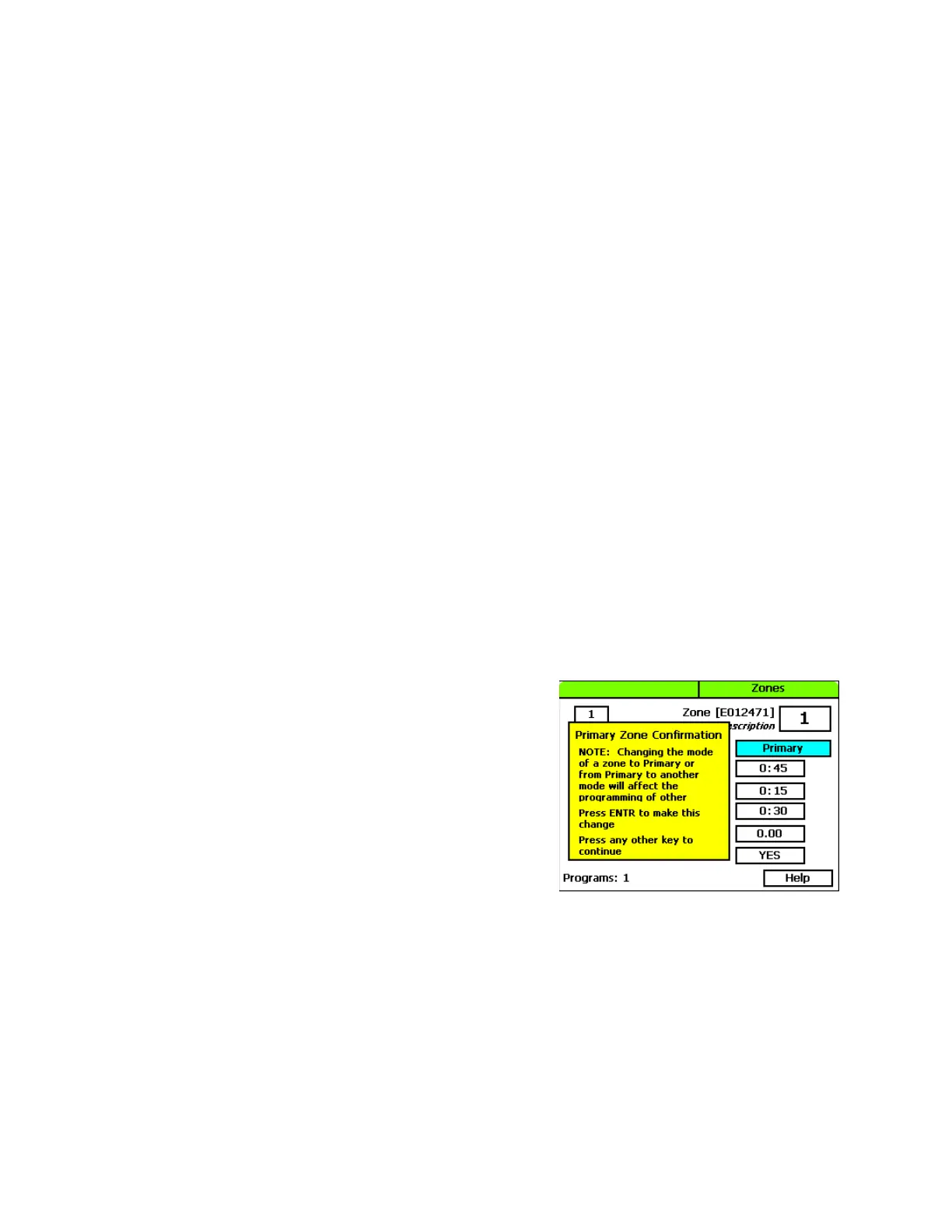
5. Press the + or – button until Primary displays in the Zone
Mode field.
Note: If you change the mode of a zone to Primary or
from Primary to another mode, you will potentially affect
the programming of other zones. For example, a primary
zone has 20 linked zones. If you change the mode of the
primary zone to linked or timed, the links to the 20 zones
will be broken.
Baseline Support: 866-294-5847 3 www.baselinesystems.com


 To Next Page