Upper Threshold Moisture Sensor-Based Watering
Step 6 – Setting the Start Time for the Program
1. Turn the dial to the Programs position.
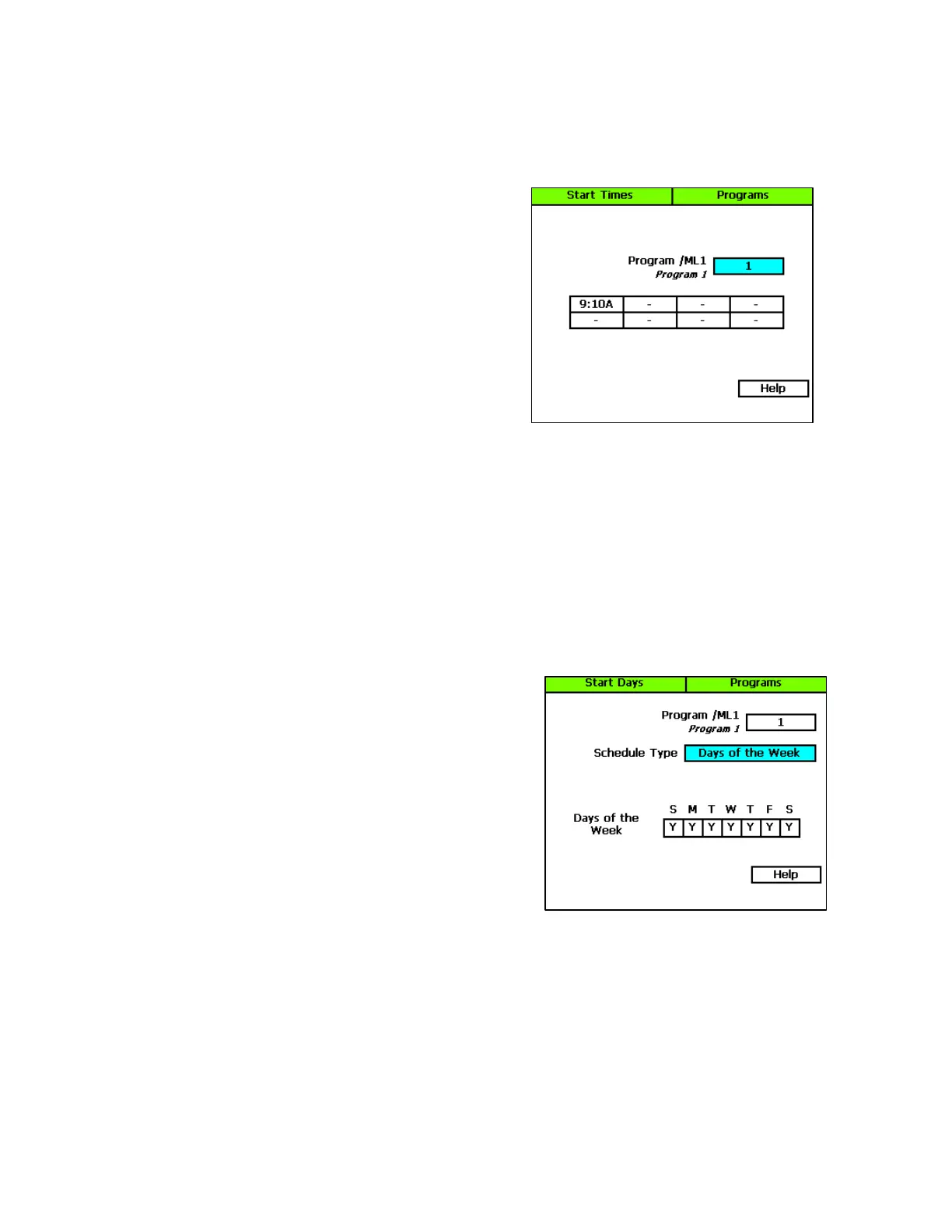
2. The Program Start Times Setup option should be
highlighted. If it is not highlighted, press the Next
button to highlight it.
3. Press the Enter button. The Start Times screen
displays.
4. Verify that the number displayed in the Program field
matches the program that you want to set start times
for. If you want to select a different program, press
the + or – button to change the program number.
5. Press the Next button to move to the start times grid.
6. Press the + or – button to set the time in the first cell.
7. Press the Next button to move to the next cell in the start times grid, and then press the + or –
button to set additional start times as needed.
Step 7 – Setting the Start Days for the Program
The upper threshold watering strategy is particularly useful for landscapes that need to be at a desired
moisture level on a regular schedule, such as sports fields or heavy use parks. On these types of
properties, damage to turf takes place when the soil is either too wet or too dry.
1. Turn the dial to the Programs position.
2. Press the Next button to highlight the Program Start
Days Setup option, and then press the Enter button.
The Start Days screen displays.
3. Verify that the number displayed in the Program field
matches the program that you want to set start days
for. If you want to select a different program, press the
+ or – button to change the program number.
4. Press the Next button to move to the Schedule Type
field where you should select the schedule that best
suits the type of property you are watering.
Note: If you want information about the schedule types
that are available, refer to Setting Up the Start Days for a Program in the BaseStation 3200 User
Manual or view the online help on the Start Days screen on the controller.
Baseline Support: 866-294-5847 7 www.baselinesystems.com


 To Next Page