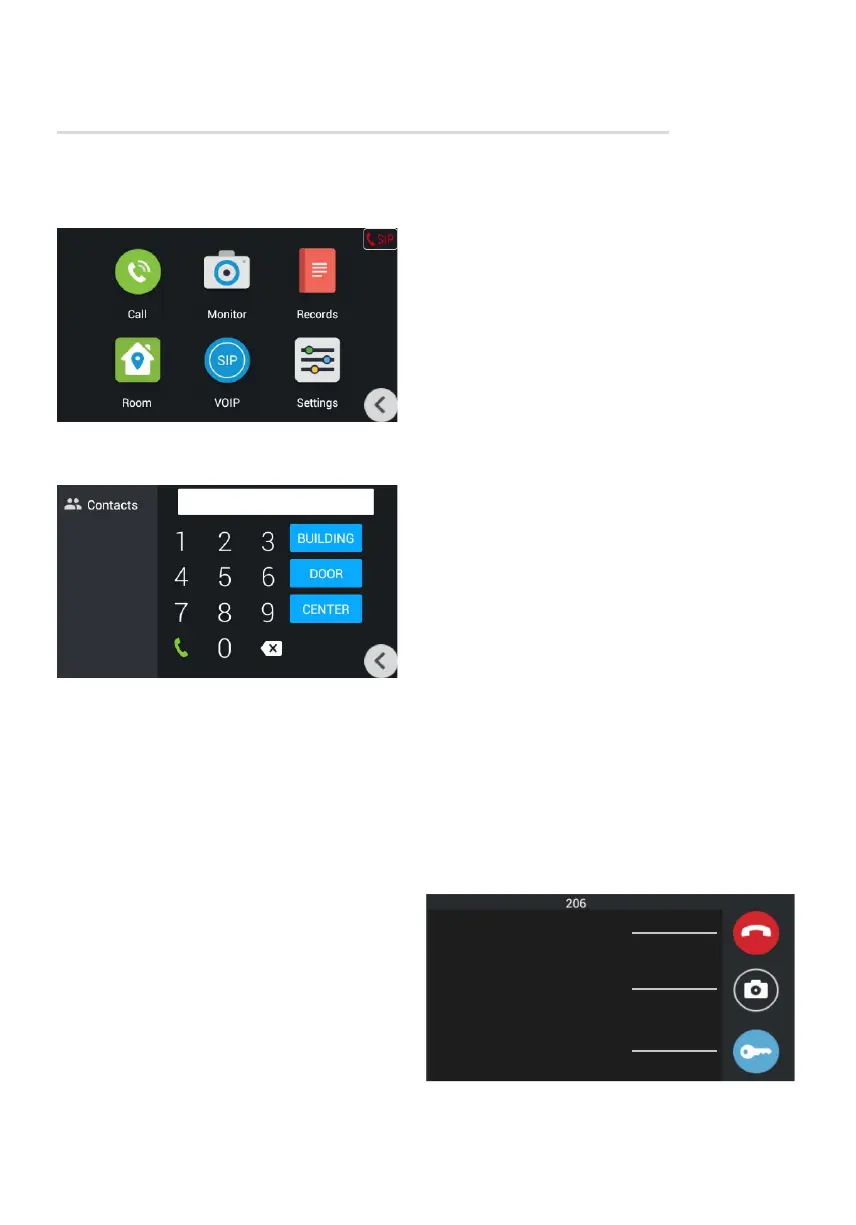
Intercom menu
Main screen
CALL
Calls between intercoms
To call between internal monitors in different
apartments, you need to enter from 1 to 4 digits
of the house number and press the «Building»
button, then enter 2 digits of the front room
number and press the «Door» button, then enter
from 1 to 4 digits of the apartment number and
press the button call To delete an incorrectly
entered digit, use the «Delete» button.
Calls between additional monitors
To call additional intercoms, or to call the main
intercom, you must select the desired one
from the list (Main, Alt. 1 - Alt.9) and press
the call button.
Answer the incoming call
During the incoming call the following interface
will appear:
Decline call
Make a snapshot
Send lock release
command



 To Next Page