13-24 9469200995
BESTlogic™Plus DGC-2020ES
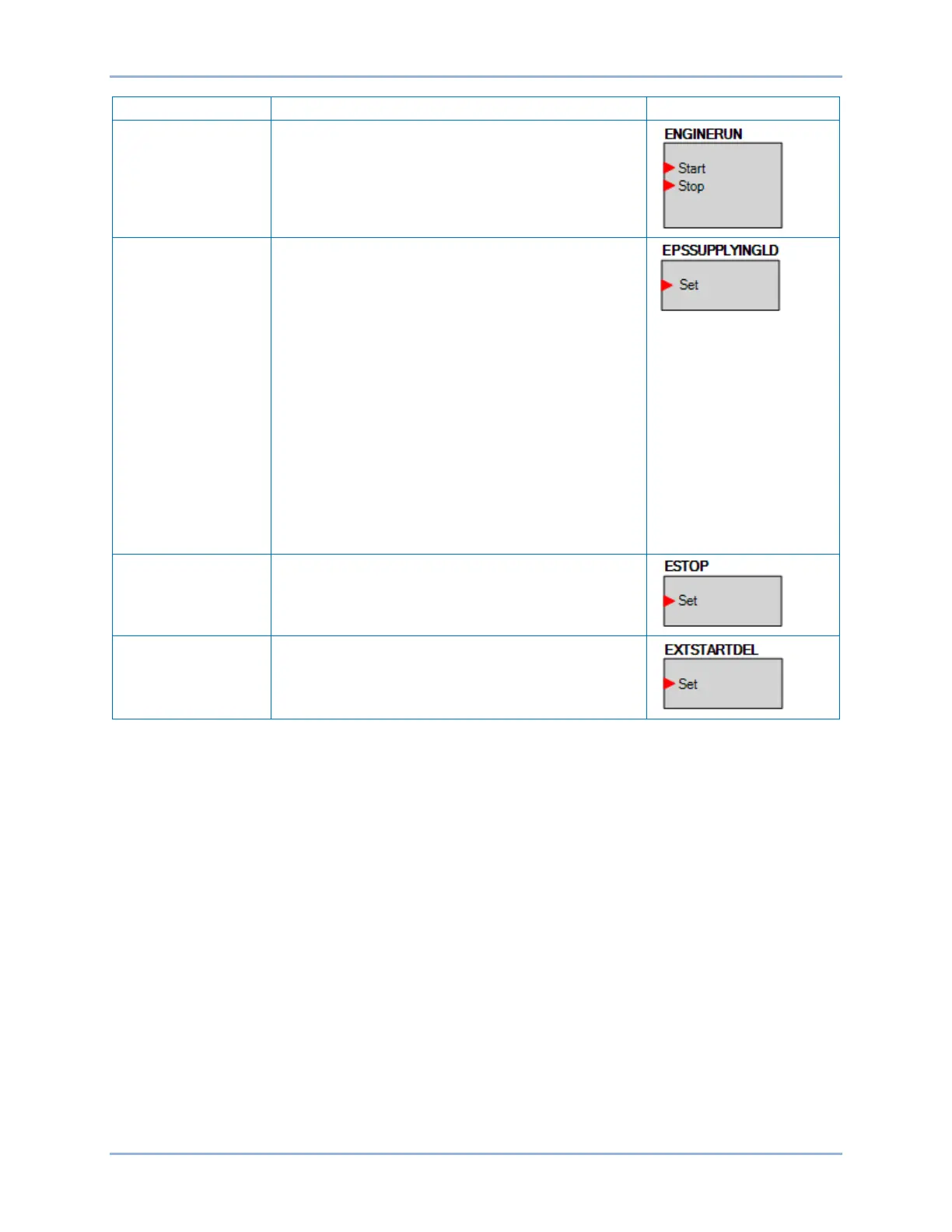
The Start input starts the generator. No load is applied.
The breaker remains open. The Stop input stops the
generator. The DGC-2020ES only responds to this logic
element when in AUTO mode.
When true, the Set input forces a supplying load
indication. This is useful when it is necessary for the
supplying load indication to be true during test runs, but
the system load is not enough to light the supplying load
indication.
A supplying load indication is true when the supplying
load logic element is true and the generator is stable
(voltage and frequency are within the limits programmed
on the Gen Condition Detection screen under Breaker
Management, Bus Condition Detection in the
BESTCOMSPlus Settings Explorer). This is OR’ed with
the traditional supplying load criteria that supplying load
is true when the generator current is above a percentage
of CT primary current (typically 3% minimum).
When the supplying load indication has been driven from
logic or from generator current levels, the DGC-2020ES
will go through a cool down cycle when it is in AUTO
mode and the ATS contact has been removed.
When this element is true, an Emergency Shutdown
alarm is annunciated and the Emergency Stop LED on
the RDP-110 is illuminated.
If the Set input is true while the DGC-2020ES is in the
Pre Start state, the DGC-2020ES will remain in the Pre
Start state until the Set input is false.


 To Next Page