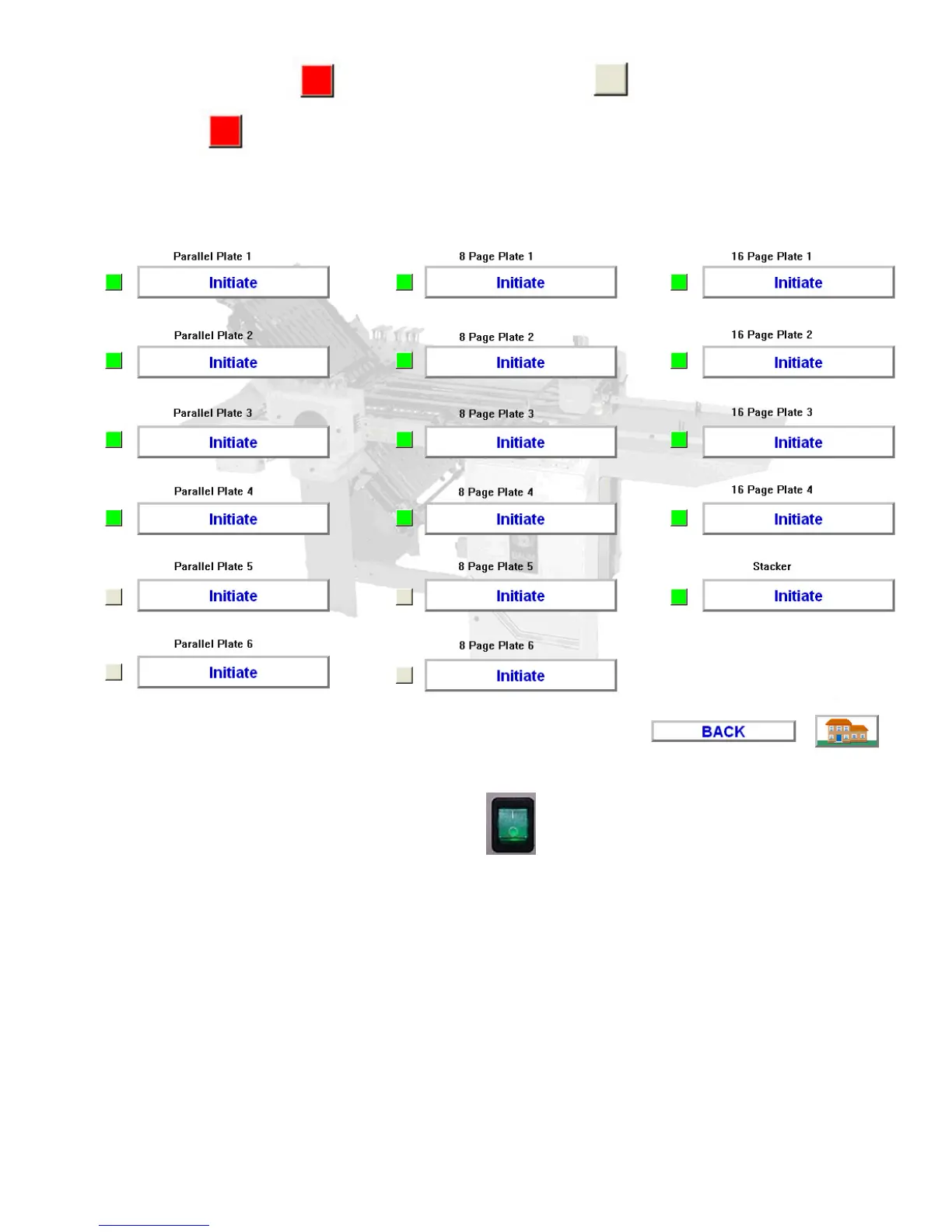
12.6 The indicator box next to the button will turn gray then after a few seconds turn red
again .
Fig. 6
12.7 Then turn off the plate motor power switch located on the side of the folder electrical box
under the main power switch.
12.8 Wait 15 seconds then turn the switch back on.
12.9 This will complete the initiation of the motor drive. Press the “Home” button to return to the main
screen.
XIII. REPLACING A PAN MOTOR
13.1 To replace a fold plate motor first make sure the power is off to the machine.
13.2 Unplug the Communication cable.


 To Next Page