18
Unlock Your World with . . .
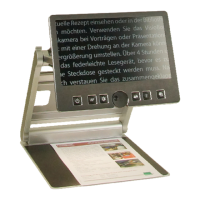
You may try the same with xed focus now. Place a
printed form on the base plate. If VisioBook
does not
show sharp characters, press the auto focus button.
“AF ON” will be displayed. The characters will now
appear sharp. Press the auto focus button again. “AF
OFF” will be displayed briey on the screen.
If you ll out a form with a pen or pencil,
VisioBook
will continue to focus on the characters and not on
your hand. Once nished, you can turn the auto
focus function on again by pressing the auto focus
button.
You have now learned about all the options on
VisioBook
and can enjoy your VisioBook portable
video magnier.
Safety First
Important note: Failure to observe the
following warnings may invalidate the
guarantee and could cause damage to the
device or serious injury to the user.
• VisioBook contains moving parts. Watch your
ngertips when you adjust the display or
move the arms to fold the device. Injury
may occur if ngers or clothing are caught in
the operating mechanism.
• Users should connect the power supply to a
grounded power outlet only.
• It is wise not to use the device if there are
any damages to the device or its wires.


 To Next Page