Alternative set of false colours
VisioBook comes with two sets of 7 fal
se colours each. The standard set has
very bright intense colours, with high contrast. This is appropriate for most
users.
The standard colours are: black-white, black-yellow, black-cyan, black-green,
black-magenta, blue-white and blue-yellow.
For special needs, there is a second set of softer colours with less contrast.
This is especially helpful if you are sensitive to blinding effects from high
intensity light.
The alternative colours are: black-white, black-ivory, black-soft yellow, black-
soft peach, black-soft pink, blue-ivory, blue-white.
To switch between the two sets, press Picture button and Text button
simultaneously while pressing the power button on power on. VisioBook will
remember this setting, so you only have to do this once.
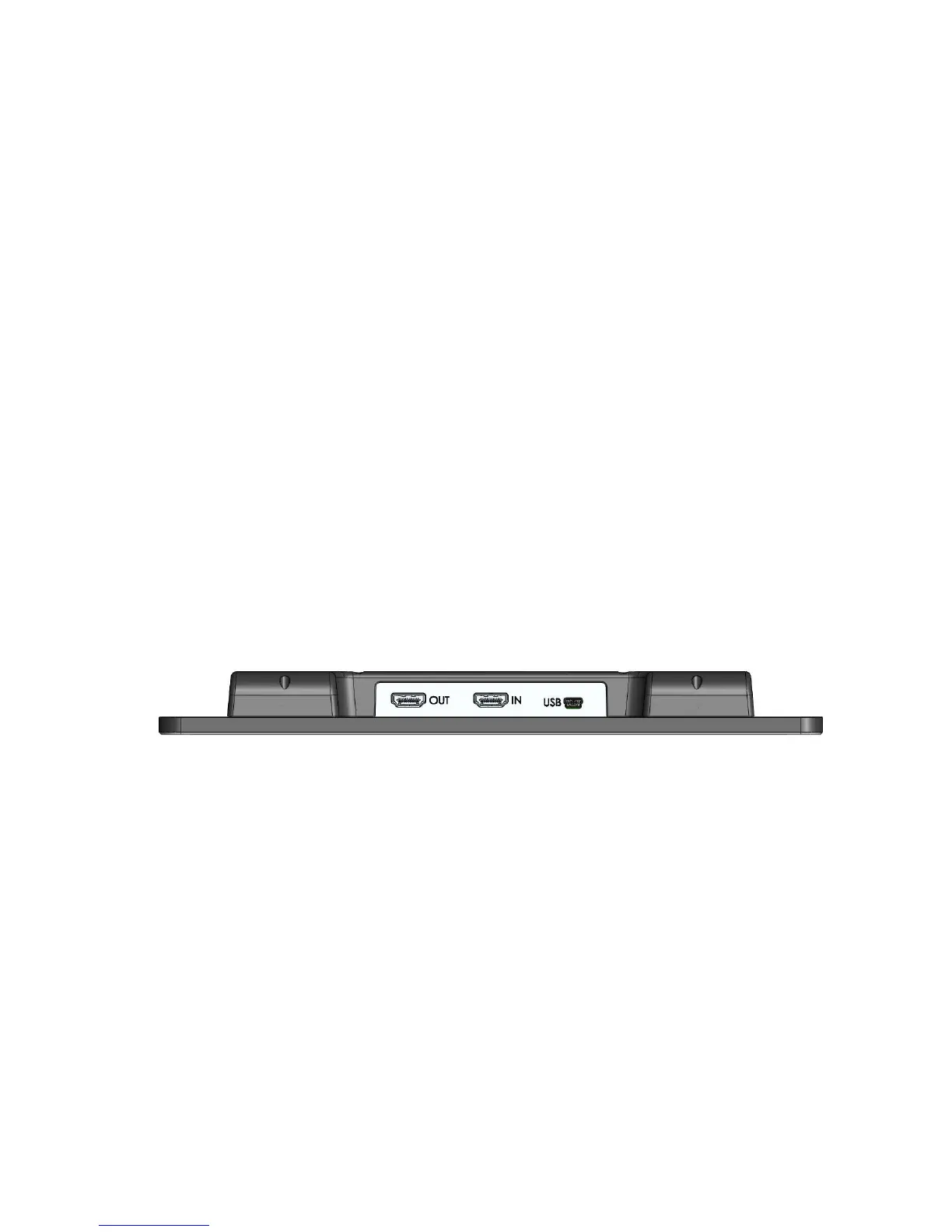
External connections of VisioBook
VisioBook provides three sockets to connect external devices. One USB
output, a video input and a video output. All three sockets are in the rear of
the display.
USB Output
This mini USB-B socket is for connecting a PC. VisioBook will be recognized as
a standard camera device by Windo
ws XP, VISTA and Windows 7. No special
drivers are required.
Use a standard program like Amcap for Windows to view images transferred
from VisioBook. You may also save still images and videos. A special video
software is not part of VisioBook.
Video output
This HDMI socket provides a DVI-D signal with a resolution of 1366x768 Pixels.
It is for connecting an appropriate display with H
DMI input or – by using an
adaptor – DVI-D input. The monitor must support the above resolution. The
image will be shown on the external display as well as on VisioBook’s display.
14


 To Next Page