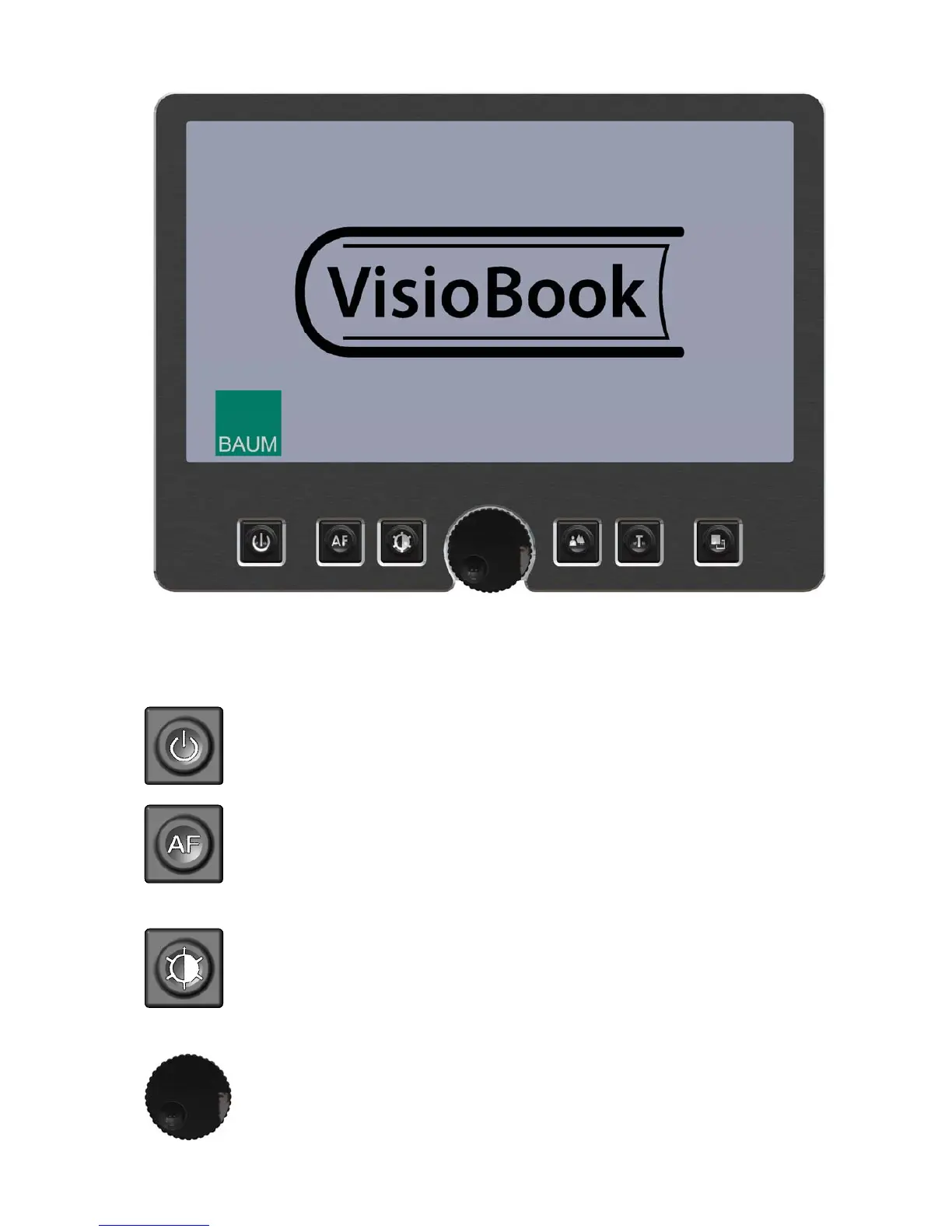
VisioBook control panel
Control panel buttons – quick reference
Power
Short press will power up device (lights on)
Long press will switch off
Auto Focus
Toggles Auto Focus on and off.
Auto focus on has always a sharp image.
Auto Focus off is for taking handwritten notes.
Image optimizer
selects one of five image quality optimizer settings for viewing
critical documents with low contrast or bad print.
Long press turns on/off light.
Zoom
Turn knob left to decrease magnification, turn knob right to
increase magnification.
9


 To Next Page