Home
Baum
Magnifiers
VisioBook
Page 6
Baum VisioBook - Page 6
23 pages
Manual
Save Page as PDF
To Next Page
To Next Page
To Previous Page
To Previous Page
Loading...
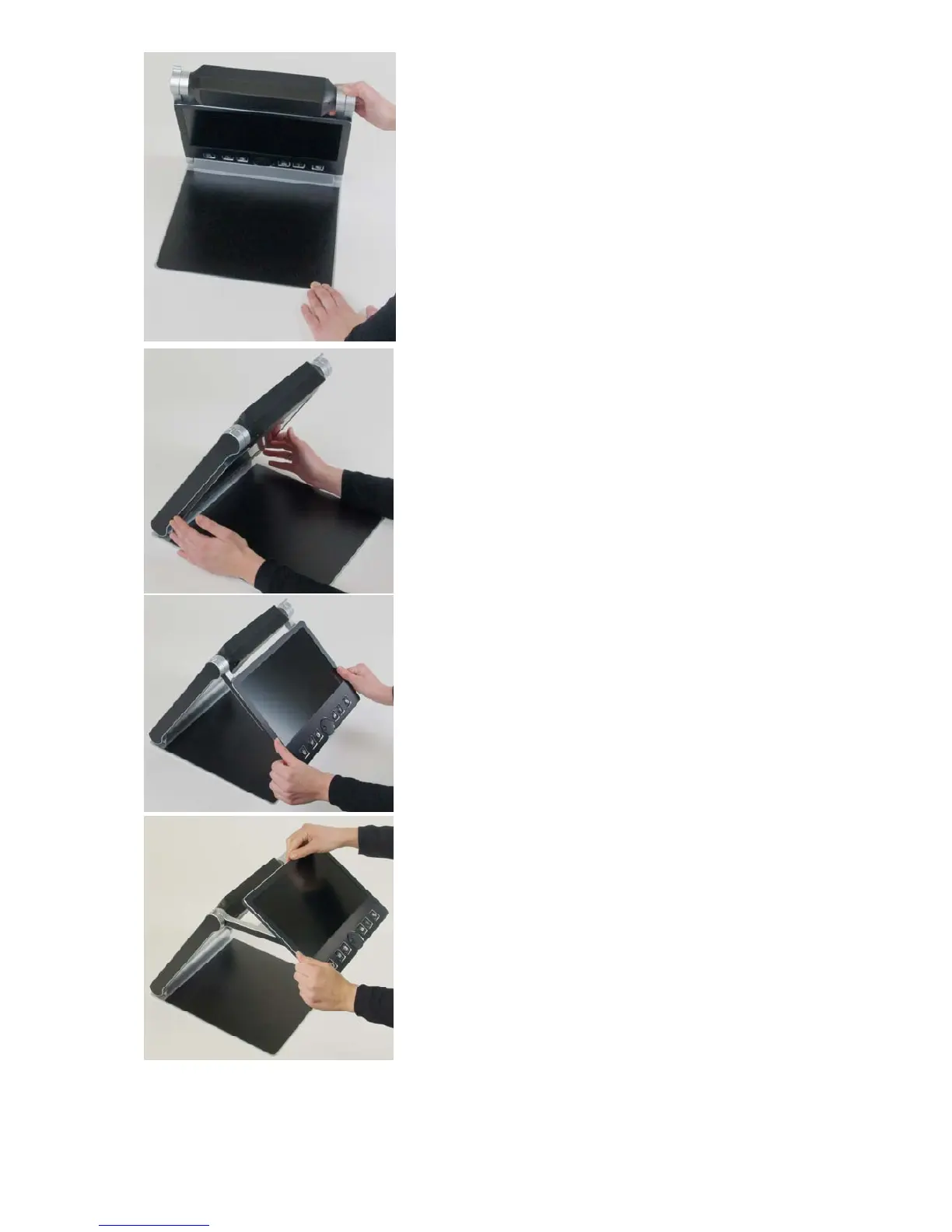
Lift arm until you feel it snapping in its
position.
Warning:
Do not lift at camera housing! So
you do not touch the camera windo
w.
Now put your hands on both sides of display.
Pull display towards your body…
…while swinging it slightly upwards.
6
5
7
Table of Contents
Main Page
About Visiobook
3
About this Manual
3
Table of Contents
4
Contents
4
Before You Start
5
What's in the Box
5
How to Position Visiobook on Your Desk
5
Camera Positions
7
Power Supply
8
Visiobook Control Panel
9
Control Panel Buttons - Quick Reference
9
Getting Familiar with Your New Visiobook
10
Switch off Light
13
Alternative Set of False Colours
14
External Connections of Visiobook
14
Usb Output
14
Video Output
14
Video Input
15
For Your Safety
15
Care and Maintenance
17
Common Problems and Solutions
18
Display and Light Remain Dark
18
Image Is Blurred
18
Document Cannot be Read
18
Letters Are Fluttering
18
Compliances
19
Warranty
19
Defects and Repair
19
Service Box
20
Technical Specifications
20
Other manuals for Baum VisioBook
Service
3 pages
Guide Book
32 pages


 To Next Page