30
NE215
General structure of the error messages:
<STX> Address Line Status <CAN> Error number <ETX> <CR>
Example: Address=35, Line=09 (invalid line),
Error number=2 <STX>3509R<CAN>2<ETX><CR>
The two positions „Line“ and „Status“ will not occur with the
special commands.
Error description in particular:
Error 1: Format error (<ETX> not at the right place). This
error might happen, for example, if the data format
was not observed when programming (e.g.: when
programming the limit value, only 5 instead of 6
data positions are transmitted.)
Error 2: Line (position) not available or separating line
Error 3: Parameter error (inadmissible values in the
protocol). This means, for example, that the limit
value consists not only of digits but also of other
inadmissible characters, or that a value given lies
outside the admissible range.
Error 4: This error message occurs if the PC requests the
counter to print in the programming mode, if the
printout of any line except the lines 01-03 and 05
is to be initiated, or if the PC does not send Date/
Time or sends them in a wrong format. The counter
will not allow the value to be sent to the printer
and responds with an error mistake to the PC.
Example for a returned error message:
Address=35, Line=01, Error number=4
<STX>3501D<CAN>4<ETX><CR>
7.8 List of the control characters used
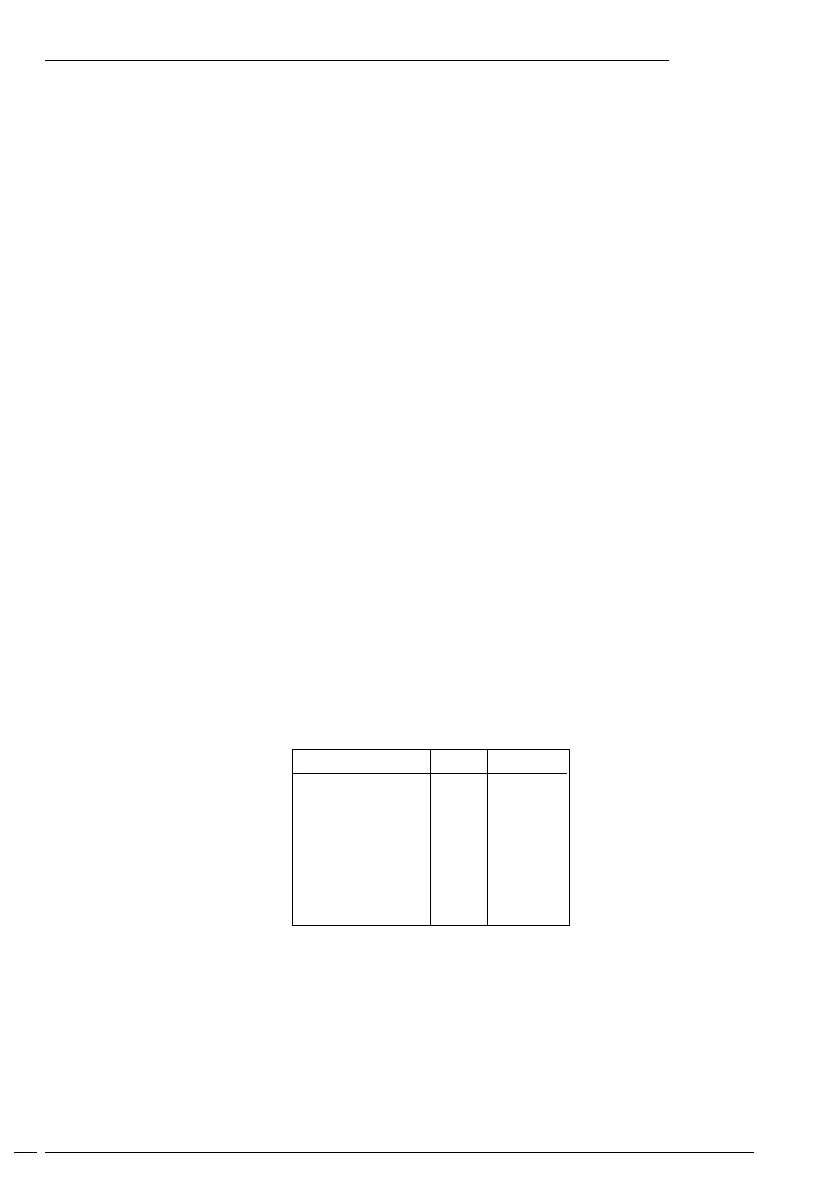
Control character Hex Decimal
<STX> 02 02
<ETX> 03 03
<ACK> 06 06
<LF> 0A 10
<CR> 0D 13
<DC1> 11 17
<CAN> 18 24
<DEL> 7F 127
Open interface description


 To Next Page