5-3
5. Servicing
Timer - activate acoustic signal only
▼
X14
Step Proceedings
1 Open PGK.
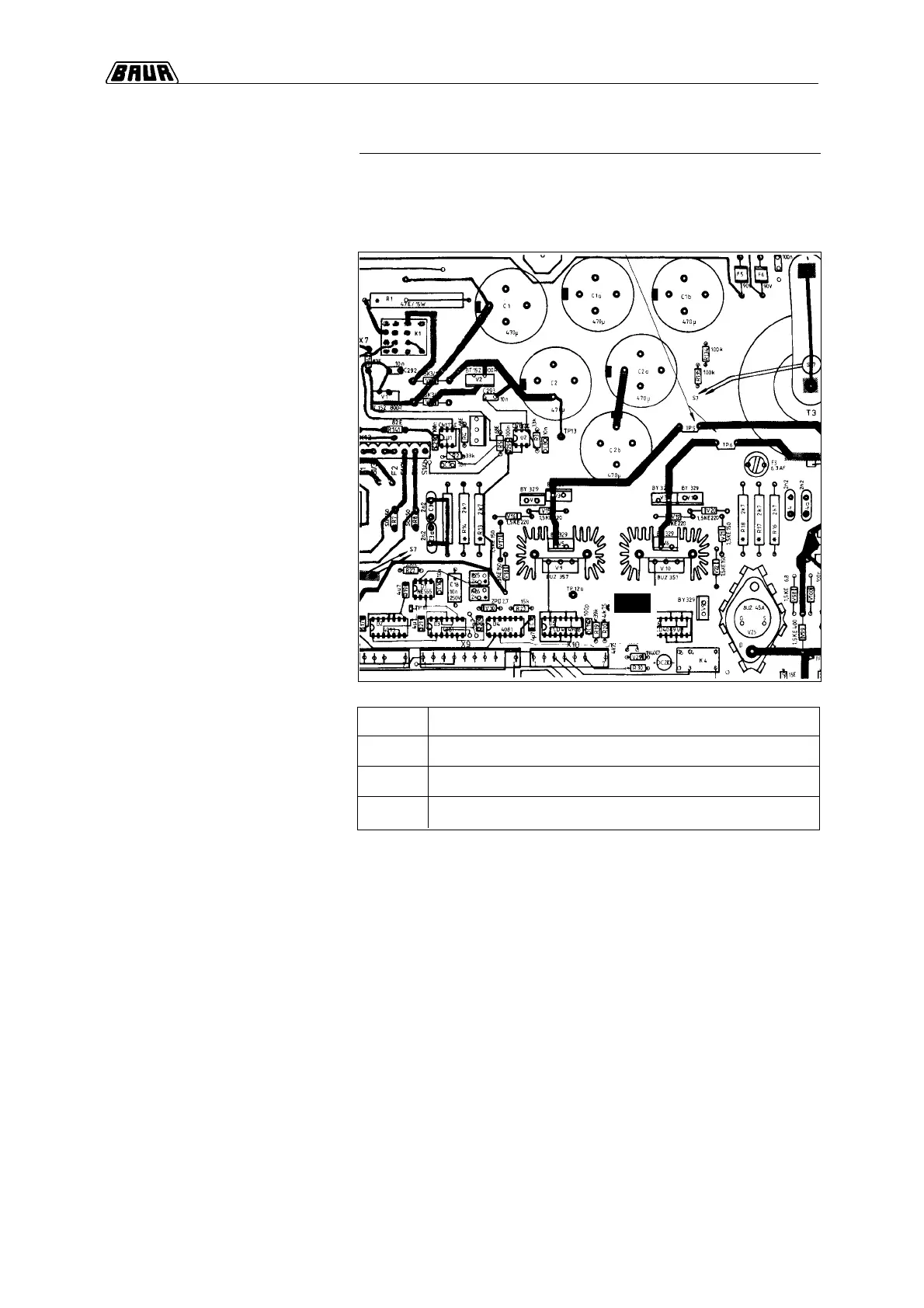
2 Cut jumper X14 on power PCB.
3 Close PGK again.
Component layout
of power PCB
Optional: after set period, activate
acoustic signal only
If only an acoustic signal should be heard after the set period has
elapsed, please proceed as follows:
Cut jumper on power PCB


 To Next Page