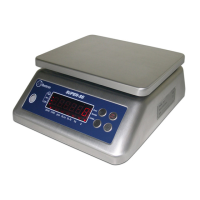
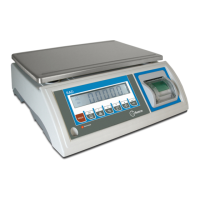
Model Super SS
Top Loading scale
User’s Guide
FR ESP
13
Power supplied by a internal rechargeable lead acid battery (6V/4Ah). When it shows “-bAtLo-”. Please turn off
and charge immediately. The time of full charging is 12 - 14 hours.
Press SET/0~9 key 3 seconds to set. Now show menu. Press SET/0~9 sequentially it displays:
rAngE (set limit)
UnIt5 (choose unit)
A-OFF (choose auto power off)
FILt (display filter)
2ero (set auto 0)
bU22Er (set buzzer)
d (choose division)
d-dP (choose single or dual display)
When it shows “rAngE”, press T and then SET/0~9 to choose “on” or “oFF”, “on” is start the function, “oFF
exit, press T to confirm.
When choose “on” and press T, now you will weigh with limit; led “-”(under limit) lighting, first digit is blinking,
SET/0~9 once to increase the current digit, press T to confirm and edit next digit; once you finish to set all “-
when you press T, led “+” turns on, then you can config upper limit with the same procedure;
and set “over” after setting into weighing.
When low limit > high limit, it displays “oFF”, then exit.
Caution: when the display is not stable, no led lights.
Alarming indicate: if bu22er parameter is set to on, alarm will sound if the weigh over the pan is on ok zone.
When it displays “UnIt5”, press T, then press SET/0~9 to choose, then press T to confirm and exit.
Unit: x9 (kg), pc5 (piece counting), lb.lb (lb), Lb.o2 (lb.oz), 9 (g).
Counting: when it displays “pc5” press T. Now “ ” led lighting. Press longtime ON/0, it displays count
and return to 0. Then put the sample and press T. Press SET/0~9 and press T input
which sample comprises. After finishing it displays “pc5” and “ ” led lighting.
Exit counting: choose unit.
Caution: Pick quantities of Max less 30000.
oFF (choose auto power off)
When menu displays A-oFF, press T to enter, press SET/0~9 to choose “n” o “y”, “n” is not auto power off,
“y” means, after 10 minutes in zero, auto-off.
When it displays “FILtX” (FILt1 means one step change display, FILt2 means 3-4 steps change display, FILt3 means 6-8
steps change display) Press SET/0~9 to change, press T to confirm and exit.
When it displays 2ero, press T, now shows 2ero x.x (x.x is the range: 0.5d, 1d, 1.5d, 2d, 2.5d, 3d, 3.5d, 4d, 4.5d,
5d. “d” is the division value when n=3000). Press SET/0~9 to choose and T to confirm.


 To Next Page