User’s Guide
FR ESP
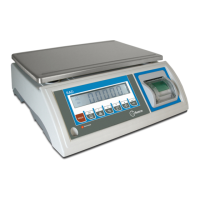
Top Loading scale
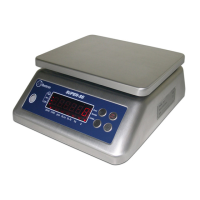
Model Super SS
When menu displays bU22Er, press T to enter, press SET/0~9 to choose “on” or “oFF”, press T to
confirm.
When menu displays d, press T to enter, press SET/0~9 to choose division.
dP (Choose single or dual display)
When menu displays d-dP, press T to enter, press SET/0~9 to choose “n” or “y”, “n” is single display, “y”
is dual display. Press T to confirm.
On powering on, long time press 0/ON, it shows LC-, press SET/0~9 to choose LU-0, LU-1,
LU-2, or LU-3. Press T to confirm.
4. NOTE
1. Not overloading. Not throw heavy things on the scale viole
ntly. The damage for overloading is not within the
range of guaranteed maintenance.
2. Don’t use sharp thing to operation the keyboard. if the rubber is damaged it will influence the performance
waterproof.
3. Keep the scale clean in order to weighing well.
4. There is a lead seal on the bottom of the scale. Users are not allowed to remove the seal. If the seal is da
maged the scale is not guaranteed for maintenance.
5. a. You must charge the battery at least per 3 months when you don’t use the scale for long time.
b. Please correctly connect line between adapter and battery, black to black, red to red.
c. If after charging the used time becomes short than often, please change a new battery.
5. CALIBRATION
This operation can only be done by competent authorized personnel according to the laws of each country.
1. With the scale turned off, unseal the seal of the division modification switch. This switch is located in the
inferior face of the scale.
2. To change the position of the switch of division modification.
3. Press the button ON/0 to turn on the scale.
4. Press the T key until “CAL” appears in the screen, 0 will appear immediately, wait 5 seconds
5. Press the T key again, the maximum capacity of the scale will appear.
6. Locate on the scale the weight of its maximum capacity.
7. Wait 5 seconds.
8. Press the T key again, the message “CaEnd
” will appear in the screen. The calibration has finished
and the scale automatically returns to the weighing mode.
9. Press the key OFF to turn off the scale.
10. Locate the switch of division modification to their original position.
11. Seal the modification switch again.
NOTES: during the calibration, if you want to quit, press ON/0.
14


 To Next Page
 Loading...