11
ENUSER MANUAL XTA
Weight
SAVE
Unit price
PoS
Total price
PS 0-9
• Press numeric key 0 to 9 to select location. If want to select to numeric key 1, press 1.
Weight
PLU
Unit price
Total price
SAvED
Unit price 10 saved into numeric key 1.
RE-CAL UNIT PRICE
When you want to weigh using stored unit price weighment.
• Press PLU, display will be shown
Weight
LoAd
Unit price
PoS
Total price
PS 0-9
• Press the numeric key, which you stored in 0 to 9. If want to use stored in 1, press 1.
• Display will show, the unit price stored.
Weight
0000
Unit price
10
Total price
0
• Place the weigh on the platform, total pirce will be calculate automatically.
6.7 BACK LIGHT
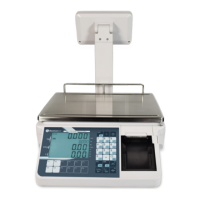
XTA & XTA-P have an option to choose the back light operation.
• Being in normal weighing mode, press and hold
. Key until to show the display
Weight
bL SET
Unit pice
nodE
Total price
AUto
• Press the
key to change the settings back light display mode to Auto / Manual /Off.


 To Next Page