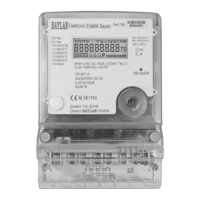
This document describes the YGHP Ultrasonic Heat Meter, a device designed for measuring heat energy consumption in heating systems.
Function Description
The heat meter operates by integrating several key components:
- Flow Sensor: Registers the volume of district heating water circulating through the system, measured in m³/h.
- Temperature Sensors: A pair of sensors, one placed in the forward pipe and the other in the return pipe, measure the inlet and outlet water temperatures. The difference between these temperatures indicates the cooling effect.
- Calculator: This component processes the flow volume and the temperature difference to calculate the total heat energy consumption.
The meter is designed for indoor installation in non-condensing environments. It performs continuous self-diagnosis and can display various faults and warnings on its LCD.
Important Technical Specifications
Permissible Operating Conditions / Measuring Ranges:
- Calculator:
- Temperature (Θ): 3°C to 95°C
- Temperature Difference (ΔΘ): 4K to 65K
- Temperature Sensor Pair:
- Temperature (Θ): 0°C to 105°C
- Temperature Difference (ΔΘ): 3K to 105K
- Flow Sensor (heat meter):
- Temperature (Θ): 3°C to 95°C
Environmental Conditions:
- Electromagnetic environment: E1 (housing/light industry). Control cables must be at least 25 cm from other installations.
- Mechanical environment: M1 (fixed installation with minimum vibration).
- Climatic environment: Non-condensing humidity, indoors, ambient temperature 5°C to 55°C.
Flow Sensor Specifications (Example for DN 40):
- Nominal Diameter (DN): 40
- Ingress Protection (IP): 65
- Maximum Flow (qs): 20 m³/h
- Nominal Flow (qp): 10 m³/h
- Minimum Flow (qi): 0.2 m³/h
- Pressure Rating (PS/PN): 16
- Accuracy Class: 2, E1, M1, A
- Temperature Range (θa): 1°C to 105°C
- Temperature Difference Range (Δθ): 3K to 70K
- Ambient Temperature (θ): 4°C to 95°C
- Installation: Meter in return pipe
Power Supply (Lithium Battery ER34615):
- Size: D Size
- Rated Capacity: 19000mAh
- Rated Voltage: 3.6V
- Max Recommended Continuous Operating Current: 230mA
- Max Pulse Current: 400mA
- Reference Weight: 100g
- Max Dimension: 33.1 × 61.5 mm
- Operating Temperature: -60°C to +85°C
- Battery Life: 10 years (at 1 read per day)
Communication Interfaces:
- RF Communication:
- Frequency: 868 MHz (AT approved ISM/SRD Frequency)
- Protocol: Wireless M-Bus (wM-BUS)
- Modulation: GFSK
- Transmitter Output Power: Adjustable up to +14dB
- Communication Speed: 1.2-250 kbps
- Type: Bidirectional
- Real-time clock: IEC 61038 approved
- LoRa Communication (Optional):
- Frequency: 868 MHz (AT approved ISM/SRD Frequency)
- Protocol: LoRaWAN
- Modulation: LoRa
- Transmitter Output Power: Adjustable up to +20dB
- Communication Speed: 250 and 5470 bps
- Type: Bidirectional
- Real-time clock: IEC 61038 approved
- Pulse Output (Optional):
- Function: For heat or volume, with 2m cable and galvanic isolation.
- Significance: 1 pulse per kWh, or 1 pulse per 100 litre (programmable).
- Pulse Length: 100 ms (programmable).
- Voltage: Max. 30 V
- Current: Max. 30 mA
- Pulse Break: Min. 25ms
- Classification: OB (acc. to EN 1434-2)
- Voltage Drop: Approx. 1.3V at 20 mA
Usage Features
Installation Guidelines:
- Pre-installation: Thoroughly flush the piping system to remove dirt and stones. Avoid cavitation. If water is soiled, install a strainer.
- Flow Sensor Mounting:
- Maintain a minimum 3 cm free space around the meter.
- Recommended straight sections: 10×DN before and 5×DN after the meter for temperature homogenization.
- Install with the arrow on the meter housing matching the flow direction.
- Avoid air bubble collection.
- Connecting pipes at both ends must be on the same horizontal level.
- Install horizontally or vertically, not tilted, inclined, or overhead.
- Install in horizontal or upstream pipelines, not at the highest point.
- Avoid positions with swirling flow (e.g., after a bending pipe) or pulsatile flow (e.g., near a pump outlet).
- Temperature Sensor Mounting:
- Sensors are color-coded: red for flow pipe, blue for return pipe.
- They are a matched pair and must be replaced in pairs.
- Cables must not be buckled, extended, or shortened. Standard cable length is 1.5m (EN1434/OIML R75).
- Sensor ends must extend to the center of the pipe cross-section.
- Installation should be symmetrical and direct, preferably in Tee pipe, ball valve, or sensor pocket.
- Sensors should be in areas of stable water temperature.
- Calculator Mounting:
- Mounted directly on the flow sensor plate, sealed with seal and thread.
- For strong condensation or water temperatures above 90°C, wall mounting is recommended.
- Ambient temperature must not exceed 55°C, avoid direct sunlight.
- Can be mounted vertically or horizontally relative to the flow sensor.
- General Installation Steps:
- Flush piping system.
- Ensure sufficient straight pipe sections (10×DN upstream, 5×DN downstream).
- Use specific seal gasket and connector supplied by Baylan Water Meters.
- Install a filter (if water is soiled) and two shut-off valves on either side of the meter.
- Seal the meter if not already done at the factory.
- Post-installation:
- Pressurize with cold water to check for tightness.
- Carefully open shut-off valves and check for leakage.
- Verify correct volume display and temperature readings during operation.
- Energy and volume are summated when response thresholds are exceeded, and flow rate/temperature difference are positive.
- Perform a segment test to check all LCD segments.
- Operating hours are counted from battery connection; date increments daily.
Display and Operation:
- LCD: Easily readable, with a description line and a line for up to 13 digits, units, and information.
- Semi-sleep Mode: Automatically enters semi-sleep (backlight off) after 3 seconds of inactivity to save battery.
- Wake-up: Short press of the button wakes up the LCD.
- Information Display: Short presses cycle through:
- Cumulative heat consumption
- Instant heat power
- High temperature (inlet)
- Low temperature (outlet)
- Temperature difference
- Cumulative flow volume
- Instant flow rate
- Remaining credit
- Utility name
- Meter ID
- Consumer ID
- Loaded credit
- Tariff info
- Step info
- Warning and penals
- Software version
- Hardware version
- Diameter
- Time
- Continuous working time
- Menu Navigation:
- From cumulative heat consumption screen, hold button for 5 seconds to switch to 'A2: Monthly Value'.
- From any other screen, hold button for 5 seconds to switch to 'A3: Test Mode'.
- To return to 'A1: Main Menu' from A1 or A2, hold button for 5 seconds.
- Monthly Data (Menu A2): Stores 15 months of historical data for heat energy and volume readings.
- Calibration Mode (Menu A4): Similar content to A1, but for calibration purposes only.
Maintenance Features
- Temperature Sensor and Battery Replacement: Can be performed by the district heating supplier.
- Flow Sensor: Must not be separated from the calculator.
- Temperature Sensor Pair: Must be Pt1000 type.
- Battery Reset: If reads are unavailable, remove the battery for 2 minutes to allow manual reset.
- Sealing: Temperature sensors and screw connections must be sealed to prevent manipulation. Damaging seals voids warranty. Seals are typically factory-installed.
- Warranty: Void if seals or safety marks are damaged or removed.
- Storage and Transport:
- Precision device, protect against impact and vibration.
- Store in a frost-free place. Frost can damage the meter.
- Transport only by the flow pipe, not by the calculator.
- Pay attention to sharp edges (e.g., thread).
Error and Warning Indications (Permanent visual on LCD):
- Fault/failure of ultrasonic or temperature measurement.
- Low temperatures (below 3°C).
- Air in the measuring path (no volume measurement).
- Low battery.

 Need help?
 General

 To Next Page