5- Operation & Display
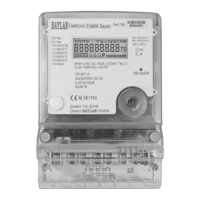
HEAT METER is fitted with an easily readable LCD, including one description
line and one line for max. 13 digits, measuring units and information field.
The display automatically returns to LCD semi-sleep mode 3 seconds after
the latest activation of the push button. When power on, the meter will reset
and displays full screen to allow users to detect if there is any problem with
the LCD.
Fig. Display full segments
Operations on how to display
Users may press the button to read the meter information such as
Accumulated volume, current flow rate, water temperature, etc.
To save the battery, the meter switches to semi-sleep mode (display backlight
off) if the button is not pressed for approx. 3 seconds. It can be woken up by
pressing the button shortly.
The following information is displayed in order by shot pressing the button:
cumulative heat consumption, instant heat power, temperature high,
temperature low, temperature difference, cumulative flow volume, instant flow
rate, remaining credit, utility name, meter ID, consumer ID, consumer type,
loaded credit, tariff info, step info, warning and penals, software version,
hardware version, diameter, time, continuous working time, etc.
Wakeup Operation
If no any operations within 3 seconds, it will turn back to semi-sleep mode.
Press the button shortly to wake up the LCD from semi-sleep mode.


 To Next Page
 Loading...