BDCOM S2528-C Hardware Installation Manual
- 9 -
Do not put things weighing 4.5 kg or over 4.5 kg on the top of the switch.
3.2.2 Installing the Machine Box on the Cabinet
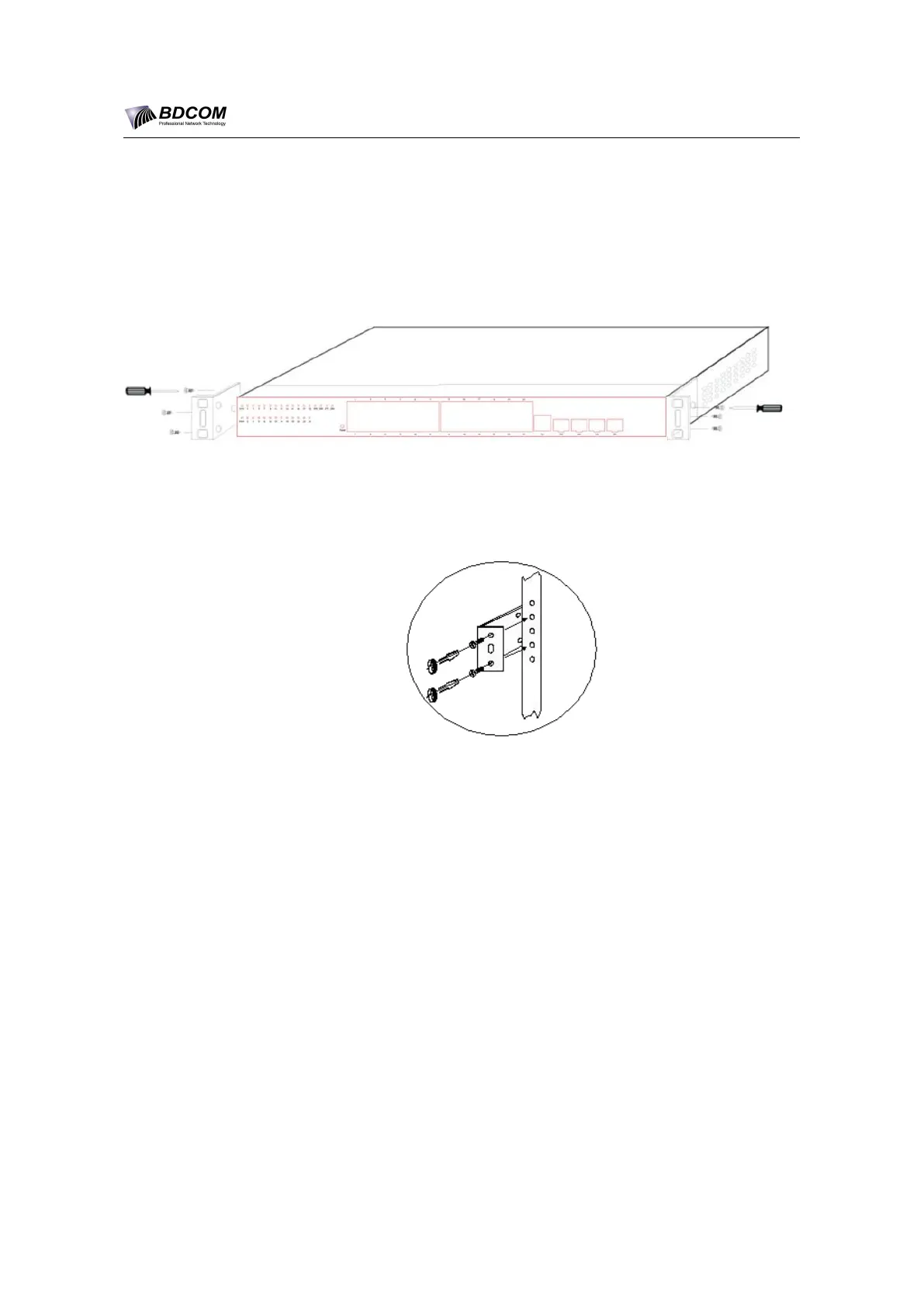
The machine box of the switch is fixed on the cabinet through the brackets. When
you fix the brackets, the front template of the switch faces forward. The detailed
operations are shown in Figure 3-1.
Figure 3- 1 Fixing the machine box of the switch
After the brackets are installed, install the switch on the cabinet. See Figure 3-2.
Figure 3- 2 Installing the switch on the cabinet
3.3 Connecting the Ports
3.3.1 Connecting the Console Port
The switch of BDCOM S2528-C has a console port.
The rate of the console port is 9600bps. It has a standard RJ45 plug. After you
connect the console port to the serial port of PC through a console cable, you can
configure and monitor the switch of BDCOM S2528-C by running the terminal
emulation software, such as super Windows terminal. The cable is provided
according to the host. The communication parameters of the terminal serial port
can be set to a rate of 9600bps, eight data bits, one stop bit, no sum check bit and
traffic control.
The RJ45 connector of the console port is shown in Figure 3-3. The RJ45 plug
corresponds to the RJ45 socket, whose pins can be aligned from left to right with
the value from 1 to 8.


 To Next Page