AUTO BASS CHORD
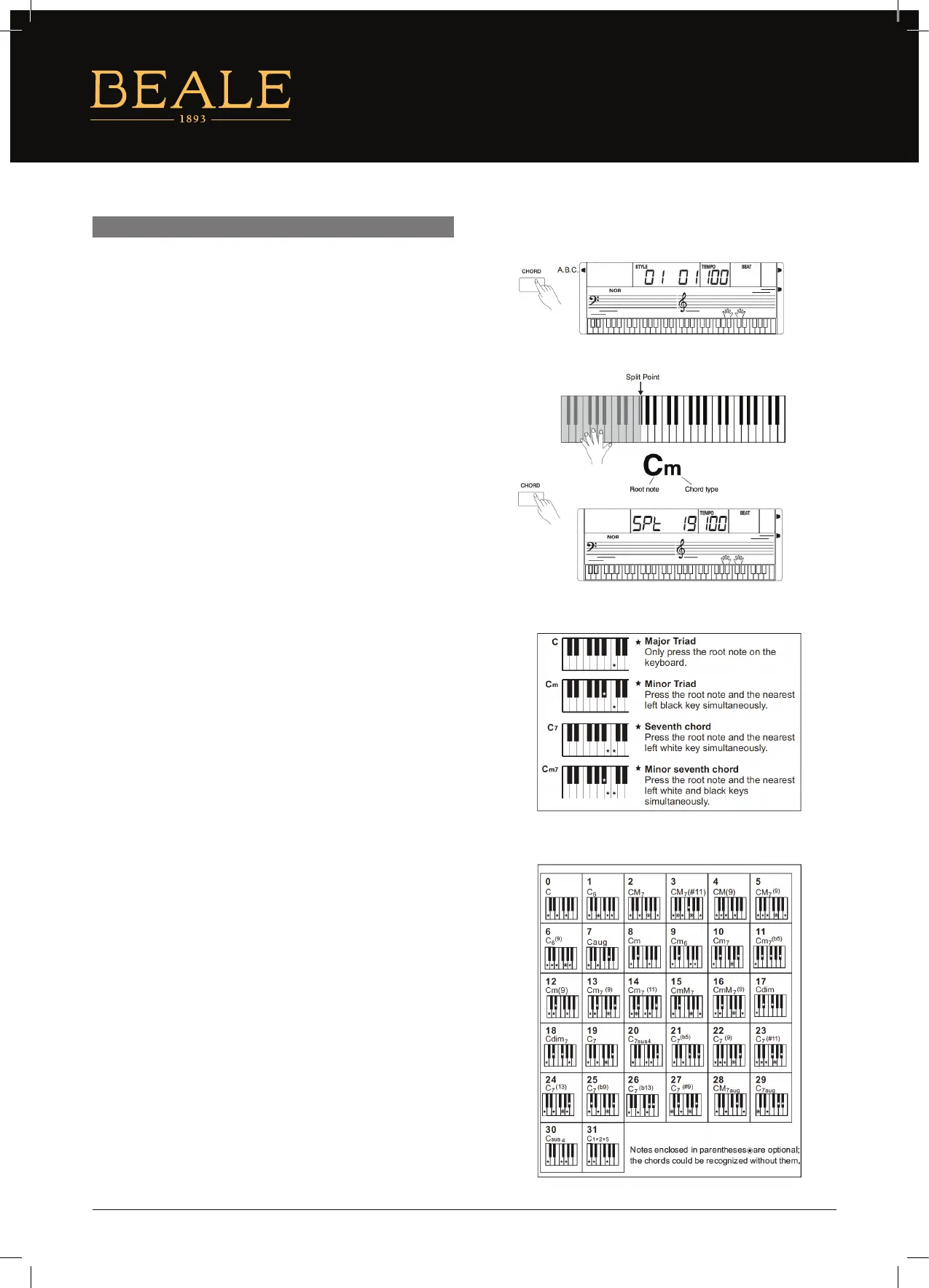
1. When the [CHORD] is switched on, the chords you
played in the specied Chord section of the keyboard will
be automatically detected and will be used to control
the playback of the selected style.
2. Press the accompaniment keys, the corresponding chord
will display on LCD.
3. Split Point Set
The default split key is F#3 (19), Turn to “Function Menu”
page for more detail. The split point key and the other keys
on the left of it are accompaniment keys.
SINGLE FINGER
Single nger type not only can detect single nger but also can
detect multi nger. The single nger makes it easier to play chords
through only one, two or three keys including major, minor,
seventh, and minor seventh chord. Refer to relevant picture on the
right for details.
MULTI FINGER
Multi nger type can only recognise the chords listed in the chord
list on the right, and can also be found in the dictionary function.
12


 To Next Page