SONG RECORDING
You can record your performance (up to 350 notes),
and the accompaniment.
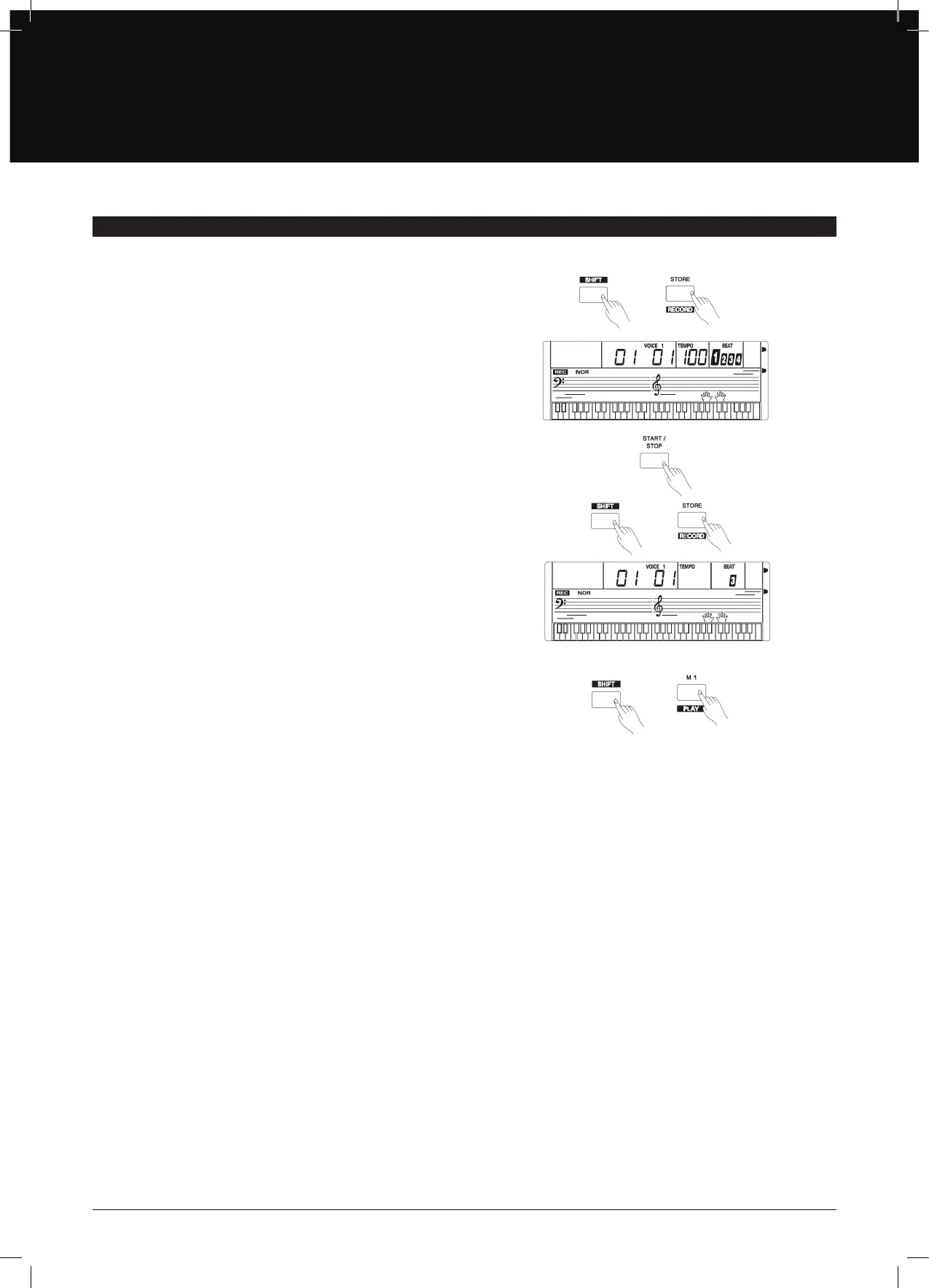
1. By holding down the [SHIFT] button and pressing the [RECORD]
button, the record ag appears on the LCD and the beat ashes.
2. Play the notes you want to record or press the [START/STOP]
button to start recording. To record accompaniment, turn on the
chord mode, and play the chords on the left of the keyboard.
3. Hold down the [SHIFT] button and press the [RECORD] button
again to stop recording. The record ag disappears.
4. Hold down the [SHIFT] button and press the [PLAY] button to
play the notes you recorded.
5. Hold down the [SHIFT] button and press the [PLAY] button
again to stop it.
6. During recording, hold down the [SHIFT] button and press
the [PLAY] button to stop recording and play the notes
you recorded.
Note:
Once you turn o the AK140, the data you have recorded will be lost.
17


 To Next Page