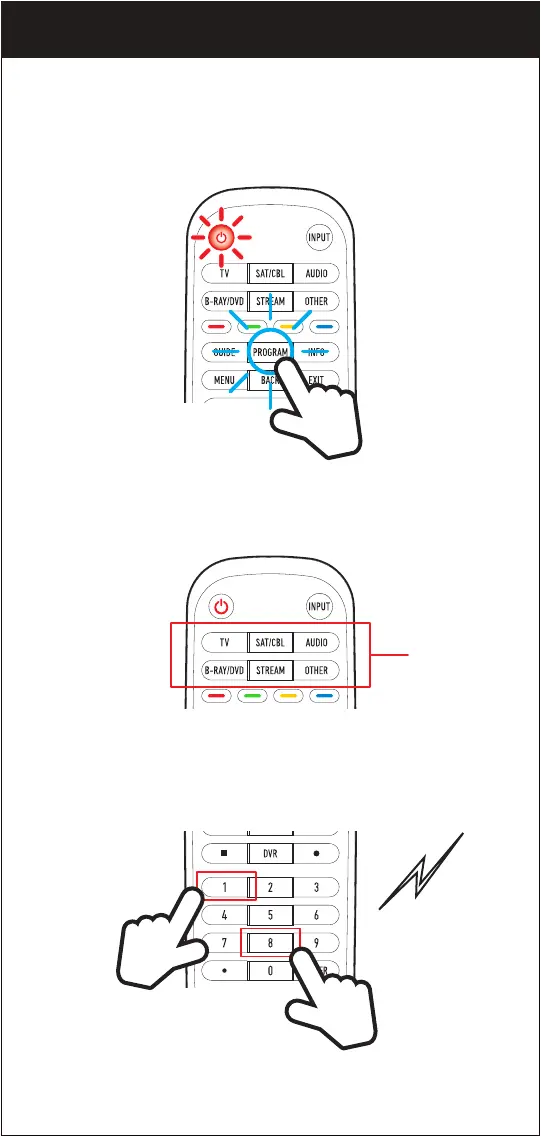
Deleting copied buttons
1. Press and hold the PROGRAM button of the Beam remote until the
POWER button lights up.
2. In DEVICE CATEGORIES, select the device you want RESET or
delete the copied buttons from.
3. Enter “8881”, and you will hear a short beep.
OPTION 3. PROGRAMMING MANUALLY
DEVICE
CATEGORIES
12


 To Next Page