
 Need help?
Do you have a question about the Beam i580 and is the answer not in the manual?
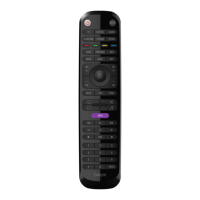
Control device power and switch between input sources.
Select devices and initiate remote programming mode.
Access guides, apps, info, and previous screens.
Copy buttons and control multiple devices.
Use the Beam Smart Remote app for quick and simple programming.
Use the included code list to program your remote with 4-digit codes.
Copy buttons from your original remote to the Beam remote.
Change default Activity settings using the app or remote.
Details of various presets for Watch TV, Watch Movie, Stream, Play Music.
Steps to copy buttons from an original remote.
Steps to remove copied buttons.
Steps to store up to 10 favorite channels.
How to recall stored favorite channels.
Lock volume control to a specific device.
Remove volume lock from a device.
Lock channel control to a specific device.
Remove channel lock from a device.
Addresses programming failures, unsupported buttons, device category mismatches.
Explains activity mode power behavior and general remote operation.
Tips for locating a lost remote and checking its mode.
 General
| Brand | Beam |
|---|---|
| Model | i580 |
| Category | Universal Remote |
| Language | English |

 To Next Page