CUSTOM BUTTONS
Repeat the steps above to delete other CUSTOM buttons.
NOTES: Press PROGRAM button to exit at anytime.
Deleting a Custom Button
To delete a Custom button, follow the steps below.
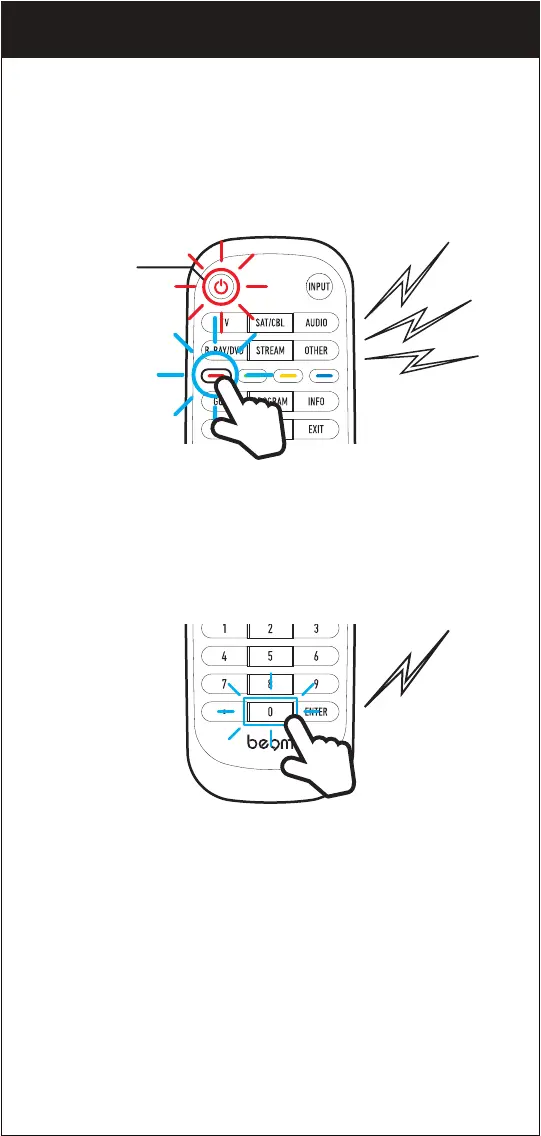
1. Press and hold the CUSTOM button you need to program until you
hear 3 beeps, and the LED of the POWER button starts blinking.
Power
button
2. Press “0000” and you’ll hear a long beep and the LED of the POWER
button turns off.
18


 To Next Page