8. FLYING AND OPTIMIZATION
The tail gyro gain is adjusted by one of the transmitter‘s auxiliary channels. The more servo throw this channel produces,
the higher the tail gyro gain will be. Additionally the direction of servo throw determines whether the gyro works in Normal-
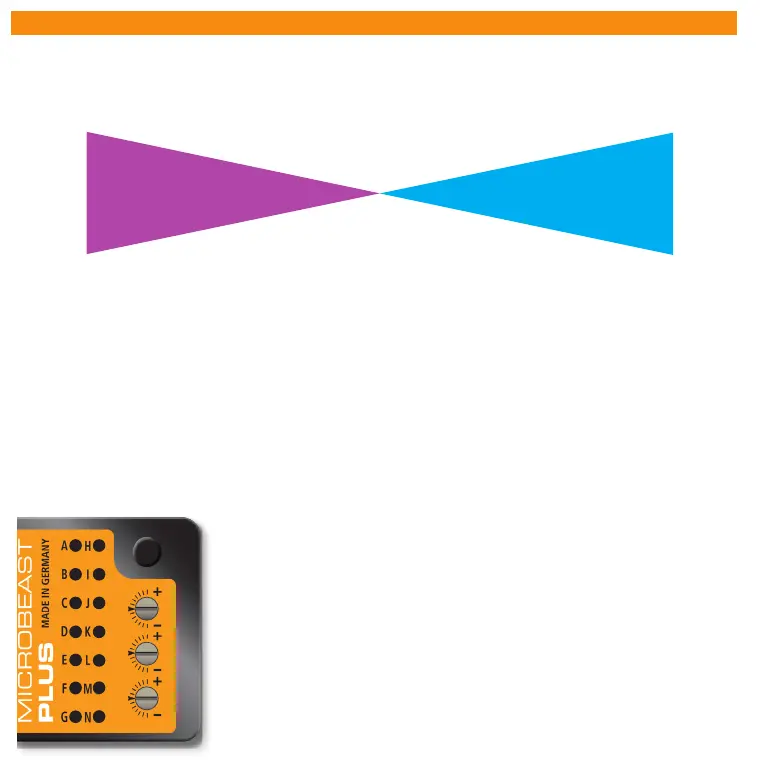
Rate mode or in HeadingLock mode. The color of the Status-LED indicates the selected mode when MICROBEAST PLUS is
operational. Purple means Normal-Rate and blue indicates HeadingLock mode. When adjusting the gain and after initialization
sequence additionally the amount of gain is displayed by one of the Menu LEDs for 8 seconds.
For the rst ight we suggest to start with medium gain (not higher than LED G) and using HeadingLock mode (Status LED
blue). In case the tail of the helicopter starts to osscilate in ight immediately reduce the gain! If on the other hand the rudder
control feels inprecise and the gyro doesn‘t hold position very well, increase the gain. Most radio systems provide an automatic
switching for the tail gyro gain depending on ight modes. In the ight mode with the lowest rotor headspeed you can use the
most tail gain. Reduce the gain the higher the headspeed is. Before the rst ight make sure the tail gain is set correctly and is
also set when switching ight modes. Use the LED display to see how the gyro is setup and do not rely upon the values of your
transmitter as signs and percentages may vary depending on radio brand and radio type!
Before the rst take o make a stick direction check and check if swash and tail gyro are correcting to the right direction
when you tilt, roll or yaw the helicopter by hand. Just before lift-o make sure that the swashplate is horizontal and
that the tail pitch slider is close to center position. Avoid excessive steering during lift-o otherwise the helicopter
may tip over! The best way is to give a fair and direct collective pitch input to lift the helicopter quickly up into the air.
Adjusting the three dials on top of MICROBEAST PLUS you can optimize the control loop and customize it to your helicopter.
For the rst ight all three dials should be centered. If necessary only adjust one dial at a time and only in little steps. Turning a
dial clockwise will increase the eect, turning it counter-clockwise will decrease the eect of the parameter.
B
C
D
E
F
G
H
I
J
K
L
M
N
N
M
L
K
J
I
H
G
F
E
D
C
B
-100% +100%
0%
A
Menu LED
Tail gyro gain
(Gyro channel)
Normal-Mode
(Status LED: purple)
HeadingLock-Mode
(Status LED: blue)
3 - Tail gyro response
Increasing the tail gyro response will lead to harder stopping and more aggressive response to rudder
stick inputs. If response is set too high the tail will bounce back when doing a hard stop (especially when
turning against rotor torque). If the dynamic is set too low the rudder control feels dull and stopping might
be too soft. Ideally the tail should stop perfectly to the point without making any apping noises.
1 - Cyclic gain
The higher the gain the harder the helicopter will stop after cyclic moves and the more stable and precise
the helicopter will y. If the gain is too high the helicopter will shake quickly (especially on the elevator
axis) as the system overcompensates. Due to their low mass this behavior will occur sooner on small
helicopters, so typically these do not need as much gain as large helicopters. With low gain the helicopter
does not stop precisely and overshoots after a cyclic movement. Additionally it is unstable and control
feels sluggish.
2 - Cyclic feed forward
Feed forward directly connects the servo movements to your stick inputs bypassing the control loop. This
will give a more natural stick feeling and quicker reactions to stick inputs. But if the cyclic feed forward is
too high stick control will ght against the control loop. The heli will bounce back when stopping from a
cyclic movement and it will react over sensitive and pitch up easily in fast forward ight.
1
2
3


 To Next Page
 Loading...

