9
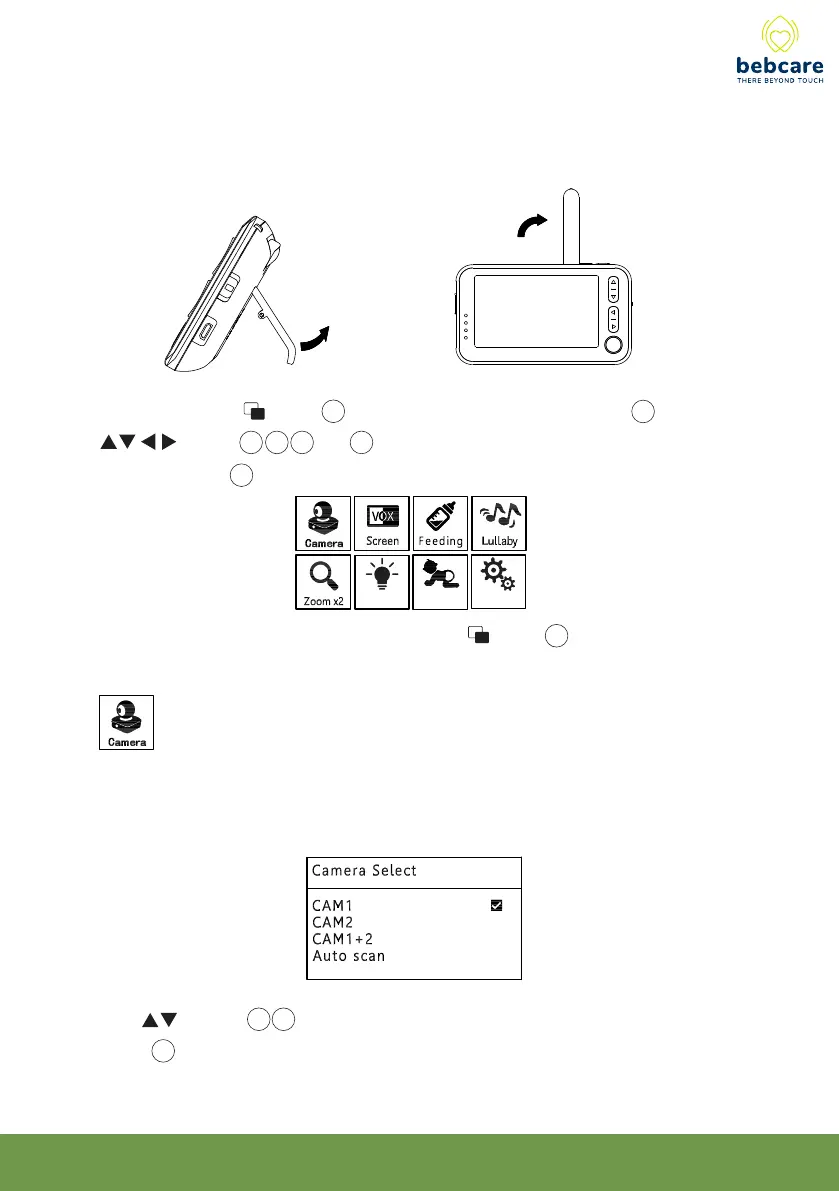
6. For easy viewing, the PU can be placed on table top by pulling out the lever
support at the back. Besides, to achieve a better reception and longer
communication range, rotate the antenna to a vertical position.
7. Short press menu button 25 to call up the main menu on screen 20, use the
qqqq qqbutton 14,15,16 and 17 to select the functions to be set, then short
press OK button 19 to confirm.
After performing the setting, short press menu button 25 to return to upper menu
or exit from menu mode.
This function is to select the camera to be viewed. If PU is paired to more than one
camera, parent can select to view two cameras on screen at the same time or view
each camera sequentially under auto scan mode.
Use button 14 15 to select the camera no. to be viewed. Short press OK
button 19 to confirm.
Setting
Light
Movement



 To Next Page