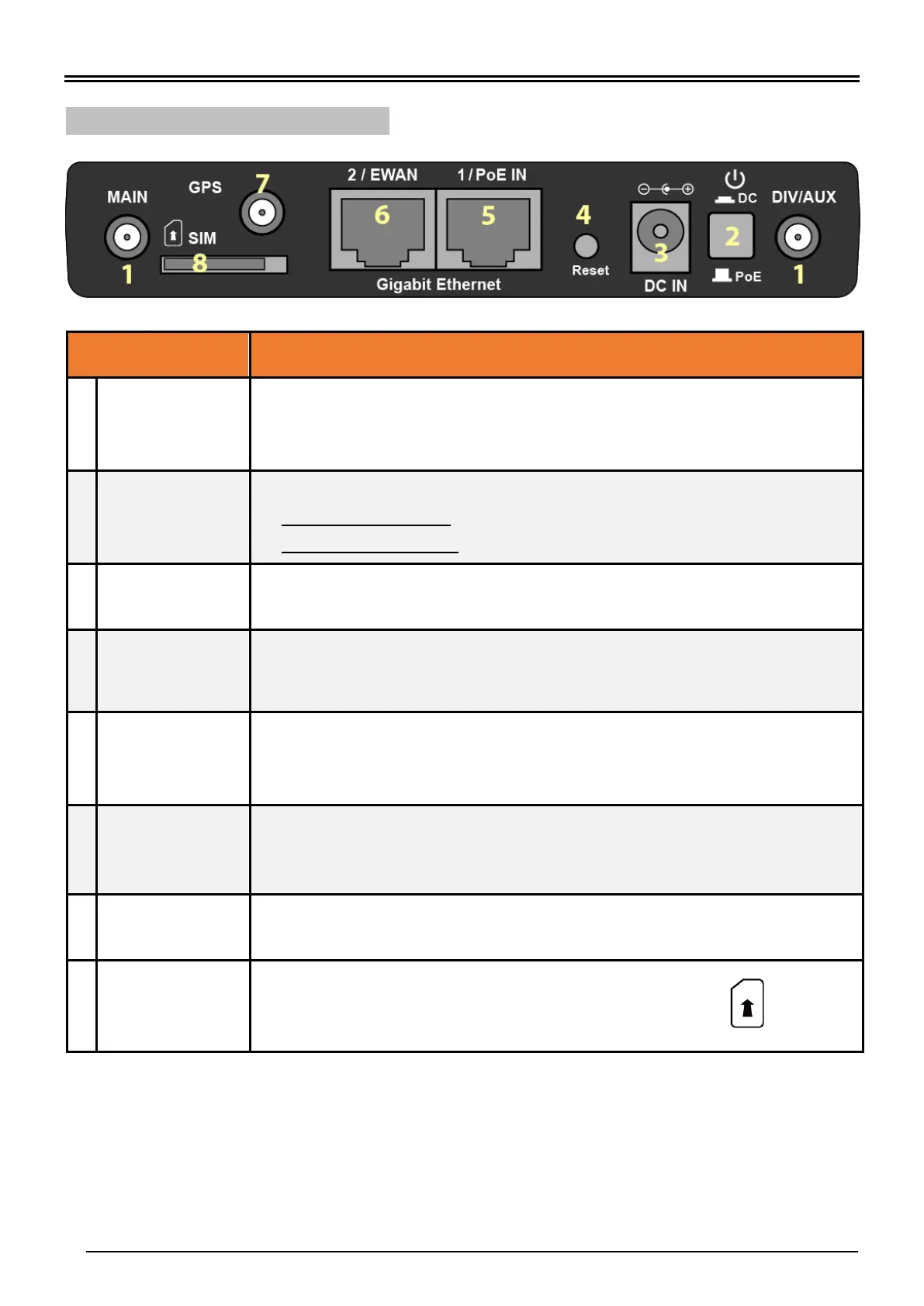
BEC MX-210NP 4G/LTE Broadband Router with PoE
4G/LTE Antenna
Connectors
(Main/Aux)
SMA female connectors.
Manually screw the cellular antennas tight to the female connectors.
Connect to Main if decide to use one antenna instead of two.
Power ON/OFF switch
(1) with Power Switch ON: power up by the supplied DC power adapter
(2) with Power Switch OFF: power up by the PoE battery unit
Connect the supplied Power Adapter to this jack.
After the device is powered on, press it 6 seconds or above: to restore to factory
default settings (this is used when you cannot login to the router, e.g. forgot your
password)
Gigabit Ethernet
(LAN 1 / PoE)
Ethernet LAN: Connected to a Gigabit (1000Mbps) Ethernet device
Ethernet PoE: Connect with an 802.3at Gb PoE injector to provide power to the
MX-210NP
Gigabit Ethernet
(LAN 2 / EWAN)
Ethernet LAN: Connected to a Gigabit (1000Mbps) Ethernet device
Ethernet WAN: Software configurable in the GUI. Connected with a broadband
connection device
SMA female connectors.
Manually screw the GPS antenna tight to the female connector.
Insert the mini SIM card (2FF) with the gold contact facing down.
Push the mini SIM card (2FF) inwards to eject it
* Power off the MX-210NP before inserting or removing the SIM card(s)



 To Next Page