Connecting to the Router
The default IP of modem is 192.168.1.254 with subnet 255.255.255.0. Make sure the attached
PC to this router is in the same subnet and has an IP address in the range between 192.168.1.1
~ 192.168.1.253.
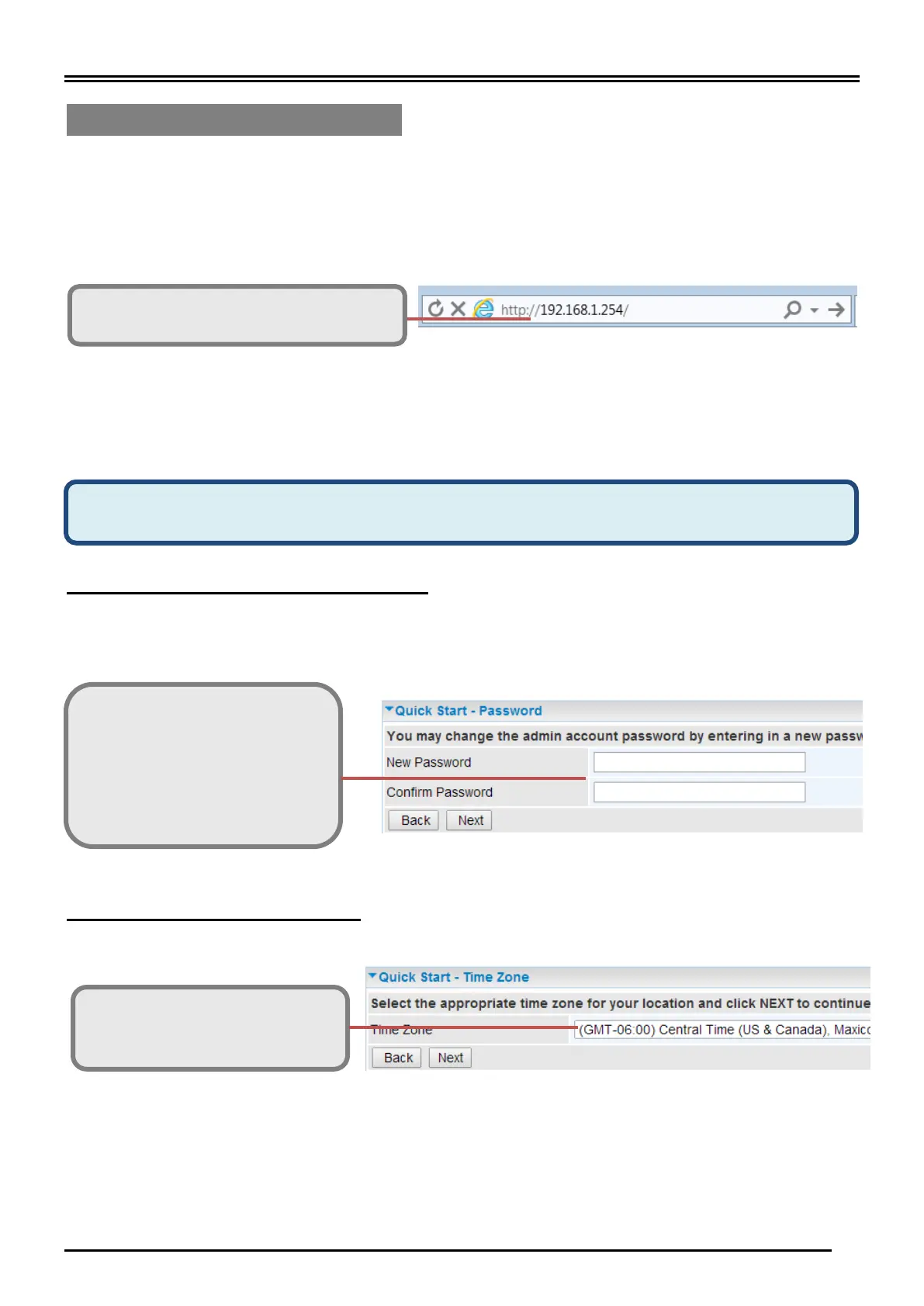
Open a web browser and type http://192.168.1.254 in the URL address bar.
The login prompt will appear. Input the default username and password.
*This username / password may vary by different Internet Service Providers.
Quick Setup Your Router
Use the Quick Start for fast connection setup.
Step 1: Change administration password
Setup a new password for “admin” account for device management. The default password is
“admin”. Click Continue to go on to the next step.
*The password may vary by different Internet Service Providers.
Step 2: Time Zone configuration
Enable and select your Time Zone then click Continue to go on to the next step.
Wired Broadband Connection - before start configuring the MX-210NP, make sure you
have the EWAN connected with your Internet box or fiber line.
New Password: assign a new,
unique password
Confirm Password: re-enter the
new password again
Next Step: click Next



 To Next Page