fr
en
de
nl
33
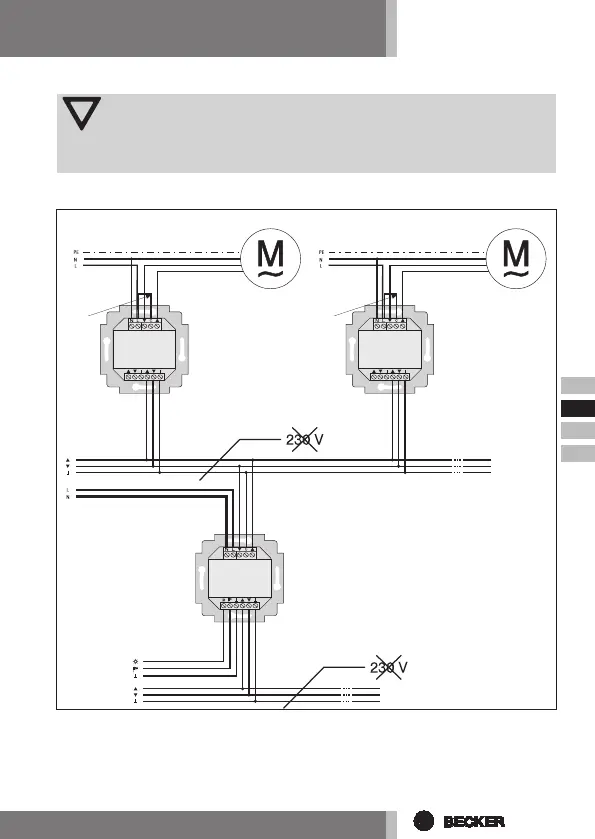
Connectionasagroupcontroller
Attention
Ifthecontrolisusedasagroupcontroldevice,forexample,nobridge
canbeinsertedbetweentheLandCterminals!
1. Connect the power supply unit to the SWC52 as follows:
2. Put the protective caps back on the power supply unit.
3. Fix the power supply unit in the box.
4. Put the operating device in the frame and plug it into the power supply unit.
green/yellow green/yellow
blue blue
brown/black brown/black
Tubular drive Tubular drive
black/brown black/brown
bridgebridge
Sensor
central
command
single
command
central
command
central
command
single
command
central
connection
UC52
UC52
SWC52


 To Next Page