fr
en
de
nl
41
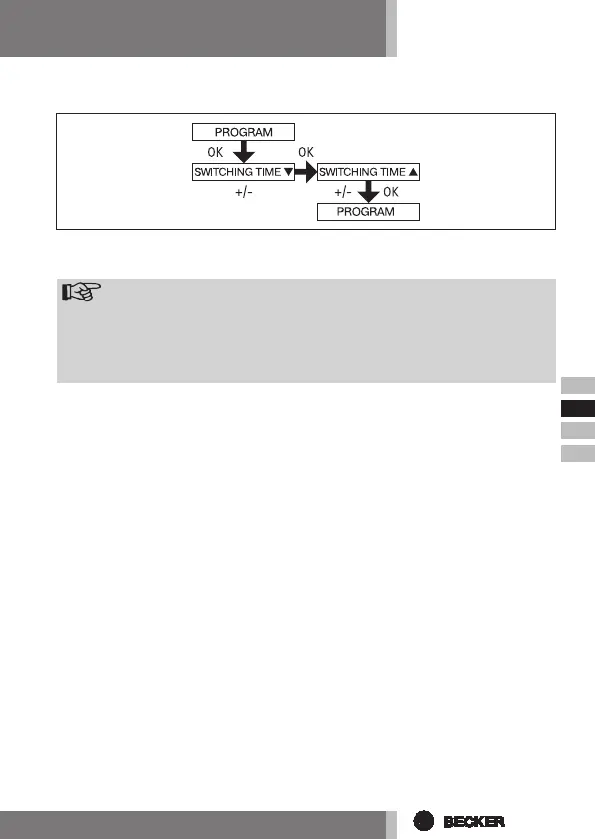
PROGRAM
(Switching timest or blocking timest)
1. Press the MENU button.
2. To select the PROGAM menu press the + button until PROGAM appears.
Note
TheFUNCTIONmenucanbeusedtochoosebetweenswitchingtimes
andblockingtimes.
Programmingwillnottakeeffect ifthesign:--:--isshowingonyour
display.(--:--islocatedbetween23.59and00:00)
3. Press OK to conrm. SWITCHING TIME t/BLOCKING TIME t appears.
4. Now set the desired SWITCHING TIME t/BLOCKING TIME t and the
SWITCHING TIME s/ BLOCKING TIME s using the +/- buttons. Press OK to
conrm.
5. Press the MENU button to return to operating mode.


 To Next Page