42
Assembly and Operating Instructions
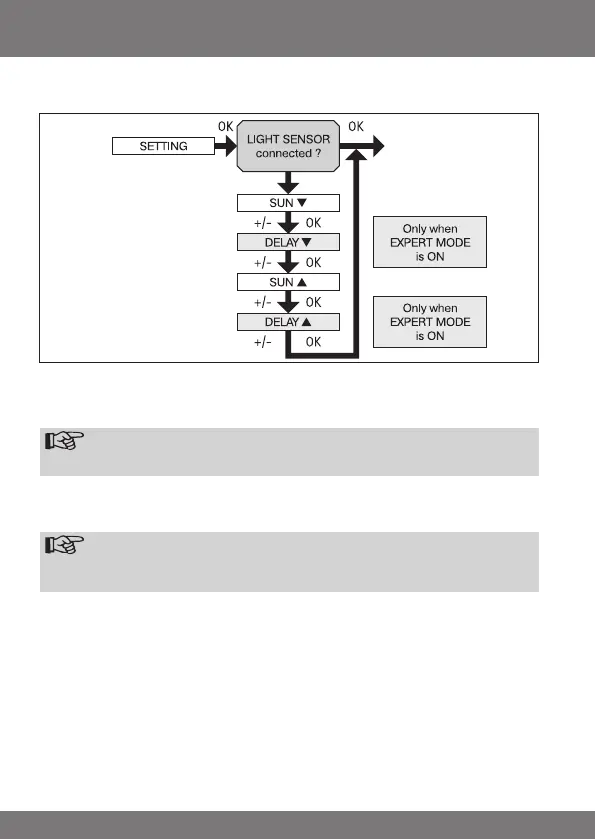
SETTING
SUN (DELAY)
1. Press the MENU button.
2. To select the SETTING menu press the + button until SETTING appears.
3. Press OK to conrm
Note
Thisdialogueeldwillonlyappearifasunsensorisconnected.
4. SUN t will appear.
5. Use the +/- button to adjust the sunlight setting. (The two left-hand gures
on the display show the current sunlight setting)
Note
ThedialogueeldonlydisplaysDELAYtandDELAYswhentheEX-
PERTMODEissettoONinthefunctionsmenu.
6. Press OK to conrm selection. DELAY t appears.
7. Use the +/- button to adjust the delay time.
8. Press OK to conrm.
To set SUN s and DELAY s, proceed as described above for SUN t and
DELAY t.
9. The SUN/ DELAY function is now set.
10. For further programming options in the SETTING menu refer to the next
section.


 To Next Page