fr
en
de
nl
43
SETTING
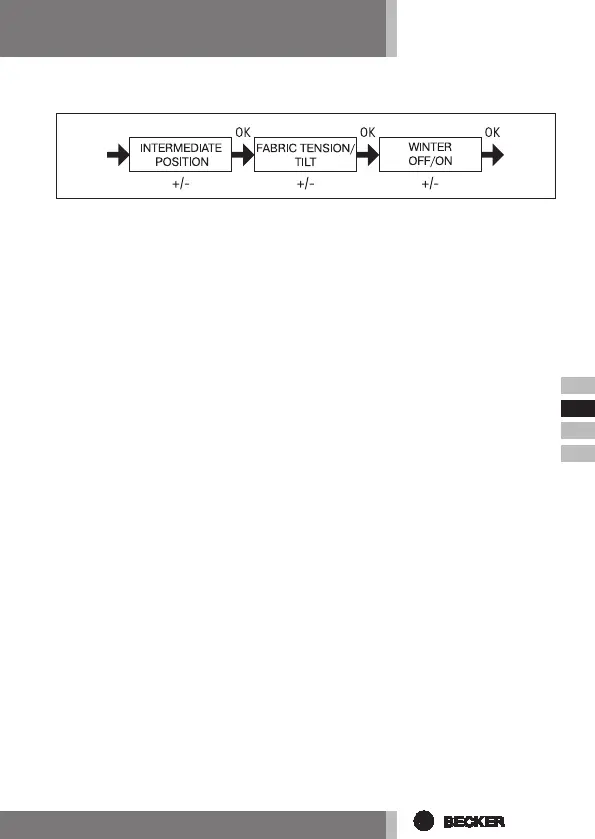
INTERMEDIATE POSITION, FABRIC TENSION/TILT, WINTER OFF/ON
1. You have conrmed the menu items SUN t (DELAY t). INTERMEDIATE PO-
SITION appears.
2. The switching time for the INTERMEDIATE POSITION can be set using the +/-
buttons. The switching time can be set in a matter of seconds. Alternatively,
you can move the shutter from the upper end position into the INTERMEDI-
ATE POSITION using the EXTEND/RETRACT buttons.
3. Press OK to conrm. FABRIC TENSION/TILT will appear.
4. The switching time for the FABRIC TENSION/TILT position can be set using
the +/- buttons. The switching time can be set in a few seconds. Alternatively,
you can move the shutter from the lower end position into the FABRIC TEN-
SION/TILT position using the EXTEND/RETRACT buttons.
Press OK to conrm.
5. You have conrmed the menu setting FABRIC TENSION/TILT. WINTER OFF/
ON appears.
6. Use the +/- button to switch the WINTER function on or off.
Press OK to conrm your selection.
7. The WINTER OFF/ON function is now set.
8. For further programming options in the SETTING menu refer to the next sec-
tion.



 To Next Page