44
Assembly and Operating Instructions
SETTING
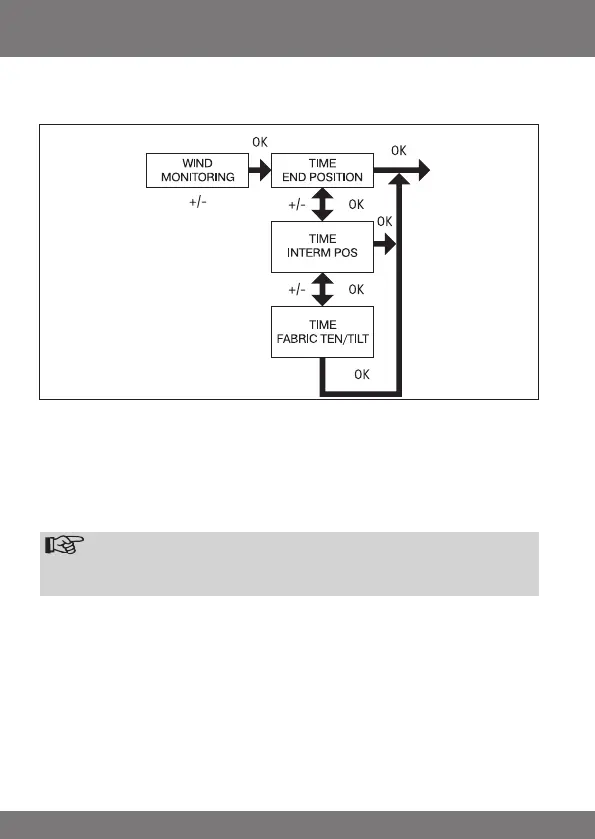
WIND MONITORING, TIME END POSITION, TIME INTERM POS, TIME FABRIC
TEN/TILT
1. You have conrmed the menu option WINTER OFF/ON.
WIND MONITORING appears.
2. Use the +/- button to adjust the wind setting. (The two left-hand gures on the
display show the current wind setting)
3. Press OK to conrm. TIME END POSITION appears.
4. Use the +/- button to choose between TIME END POSITION, TIME INTERM
POS, TIME FABRIC TEN/TILT.
Note
Thisfunctionallowsyoutoselectthepositionintowhichtheawning/
venetianblindwillbemovedwhenthepre-settimeisreached.
5. Press OK to conrm your selection.
6. The TIME END POSITION function is now set.
7. For further programming options in the SETTING menu refer to the next sec-
tion.


 To Next Page