fr
en
de
nl
45
SETTING
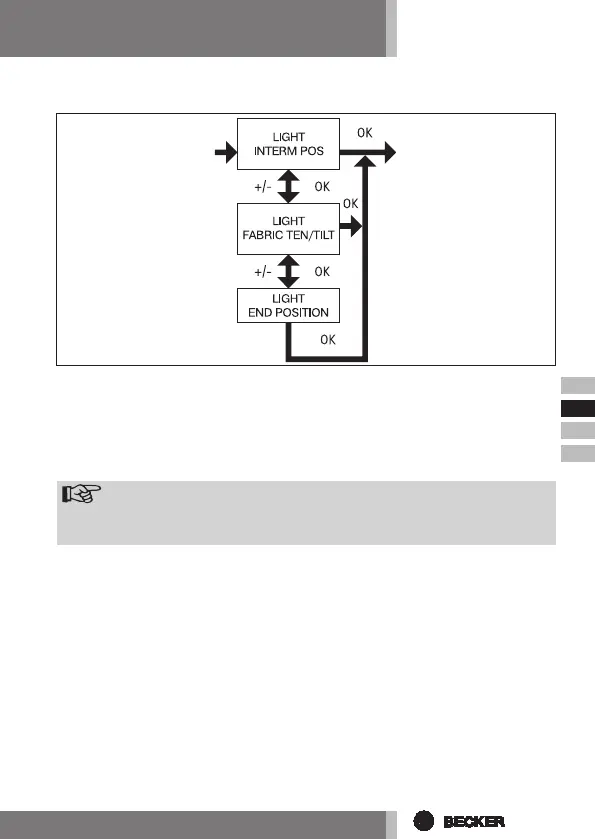
LIGHT INTERM POS, LIGHT FABRIC TEN/TILT, LIGHT END POSITION
1. You have conrmed the menu option TIME END POSITION. LIGHT INTERM
POS appears.
2. Use the +/- button to choose between LIGHT INTERM POS, LIGHT FABRIC
TEN/TILT, LIGHT END POSITION.
3. Press OK to conrm your selection.
4. The LIGHT INTERM POS function is now set.
Note
Thisfunctionallowsyoutoselectthepositionintowhichtheawning/
venetianblindwillbemovedifthethresholdvalueisexceeded.
5. For further programming options in the SETTING menu refer to the next sec-
tion.


 To Next Page