46
Assembly and Operating Instructions
SETTING
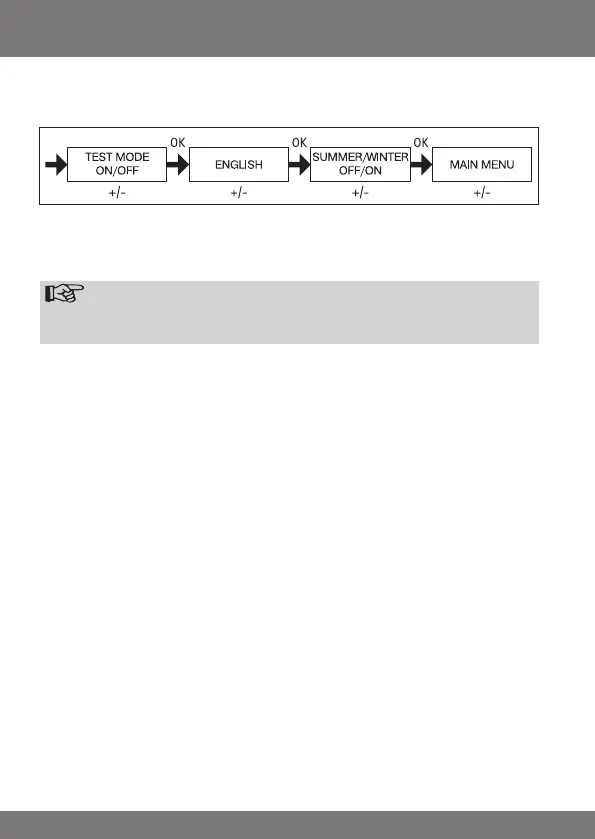
TEST MODE, ENGLISH, SUMMER/WINTER
(Language selection, automatic clock adjustment for daylight saving changes)
1. You have conrmed the menu option LIGHT INTERM POS. TEST MODE ON/
OFF appears.
2. Use the +/- button to activate or deactivate the TEST MODE (ON/OFF).
Press OK to conrm. ENGLISH appears.
Note
ThetestmodeisdeactivatedwhenyoupresstheOKbuttoninoperat-
ingmode.
3. Use the +/- button to select the desired national language.
4. Press OK to conrm your language selection.
5. Use the +/- button to switch the SUMMER/WINTER function on or off.
6. Press OK to conrm your selection.
7. Press the MENU button to return to operating mode.


 To Next Page