fr
en
de
nl
SETTING
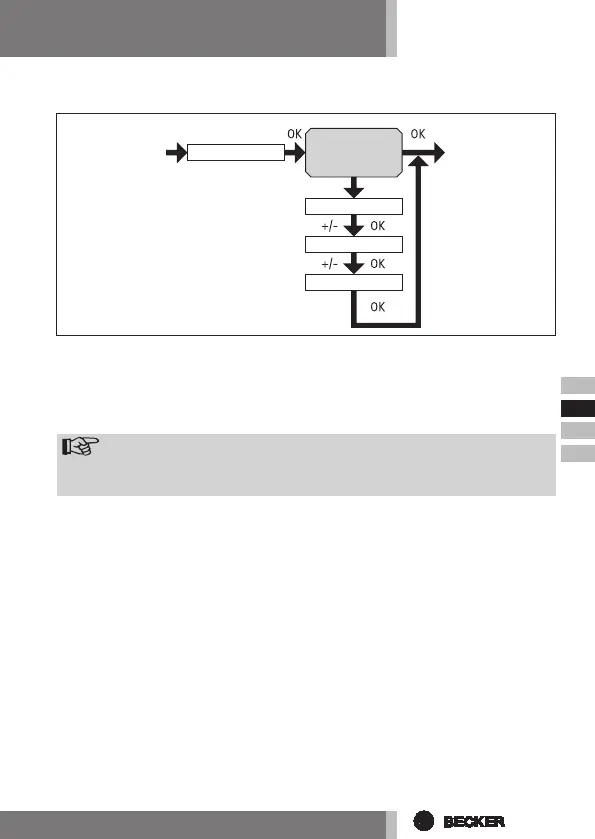
(City, EXPERT MODE (LONGITUDE, LATITUDE, TIME ZONE))
1. You have conrmed the function ASTRO SHIFT t. The city selected (LON-
DON) will appear.
2. You can set the nearest town using the +/- button.
3. Conrm by pressing OK.
Note
Thesedialog windowsareonly displayedwhentheEXPERTMODEin
thefunctionmenuisON.
4. LONGITUDE will appear. (If you prefer to dene your location more pre-
cisely, you can do so by setting the degrees longitude and latitude.)
5. You can set the degrees LONGITUDE using the +/- button.
6. Conrm by pressing OK. LATITUDE will appear.
7. You can set the degrees LATITUDE using the +/- button.
8. Conrm by pressing OK. TIME ZONE will appear.
9. You can set the TIME ZONE you are in using the +/- button. Conrm by
pressing OK.
10. The TIME ZONE function has now been set.
11. Forfurther programmesettingsintheSETTINGmenu,pleasesee
below.
EXPERT
MODE
ON/OFF
LONGITUDE
LATITUDE
TIME ZONE
LONDON



 To Next Page