PROGRAM
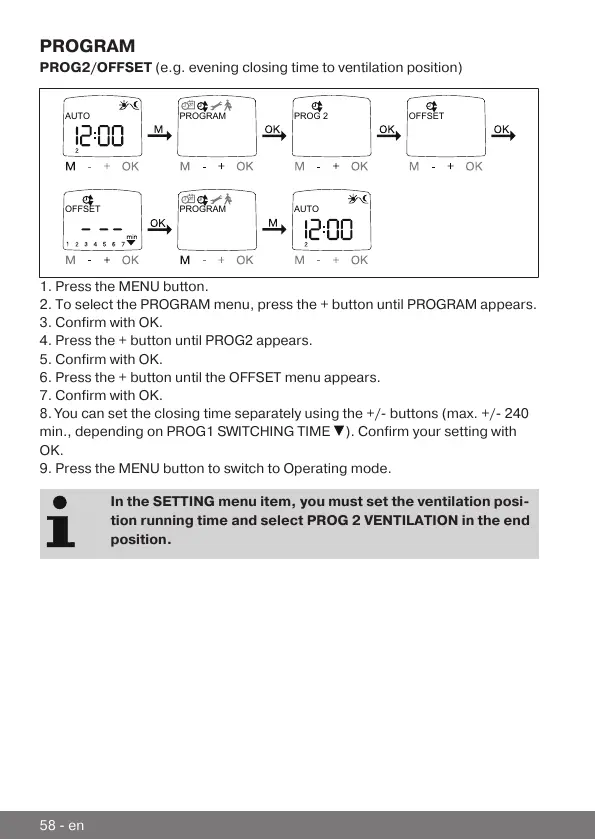
PROG2/OFFSET (e.g. evening closing time to ventilation position)
OFFSET
AUTO PROGRAM PROG 2 OFFSET
PROGRAM AUTO
1. Press the MENU button.
2. To select the PROGRAM menu, press the + button until PROGRAM appears.
3. Confirm with OK.
4. Press the + button until PROG2 appears.
5. Confirm with OK.
6. Press the + button until the OFFSET menu appears.
7. Confirm with OK.
8. You can set the closing time separately using the +/- buttons (max. +/- 240
min., depending on PROG1 SWITCHING TIME
). Confirm your setting with
OK.
9. Press the MENU button to switch to Operating mode.
In the SETTING menu item, you must set the ventilation posi-
tion running time and select PROG 2 VENTILATION in the end
position.
58-en



 To Next Page