SETTING
HOLIDAY, LIGHT SENSOR (holiday OFF/ON, sun/twilight)
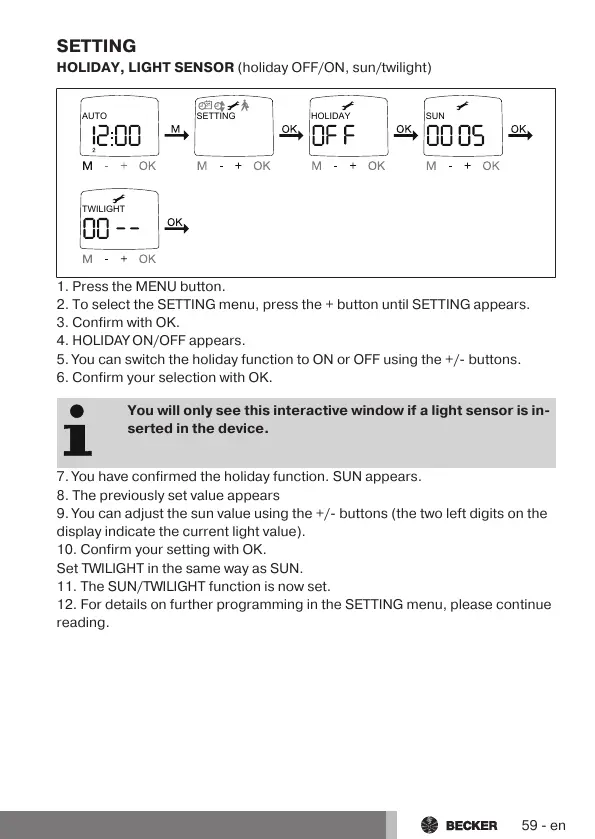
AUTO SETTING HOLIDAY SUN
TWILIGHT
1. Press the MENU button.
2. To select the SETTING menu, press the + button until SETTING appears.
3. Confirm with OK.
4. HOLIDAY ON/OFF appears.
5. You can switch the holiday function to ON or OFF using the +/- buttons.
6. Confirm your selection with OK.
You will only see this interactive window if a light sensor is in-
serted in the device.
7. You have confirmed the holiday function. SUN appears.
8. The previously set value appears
9. You can adjust the sun value using the +/- buttons (the two left digits on the
display indicate the current light value).
10. Confirm your setting with OK.
Set TWILIGHT in the same way as SUN.
11. The SUN/TWILIGHT function is now set.
12. For details on further programming in the SETTING menu, please continue
reading.
59-en



 To Next Page