EasyManua.ls Logo

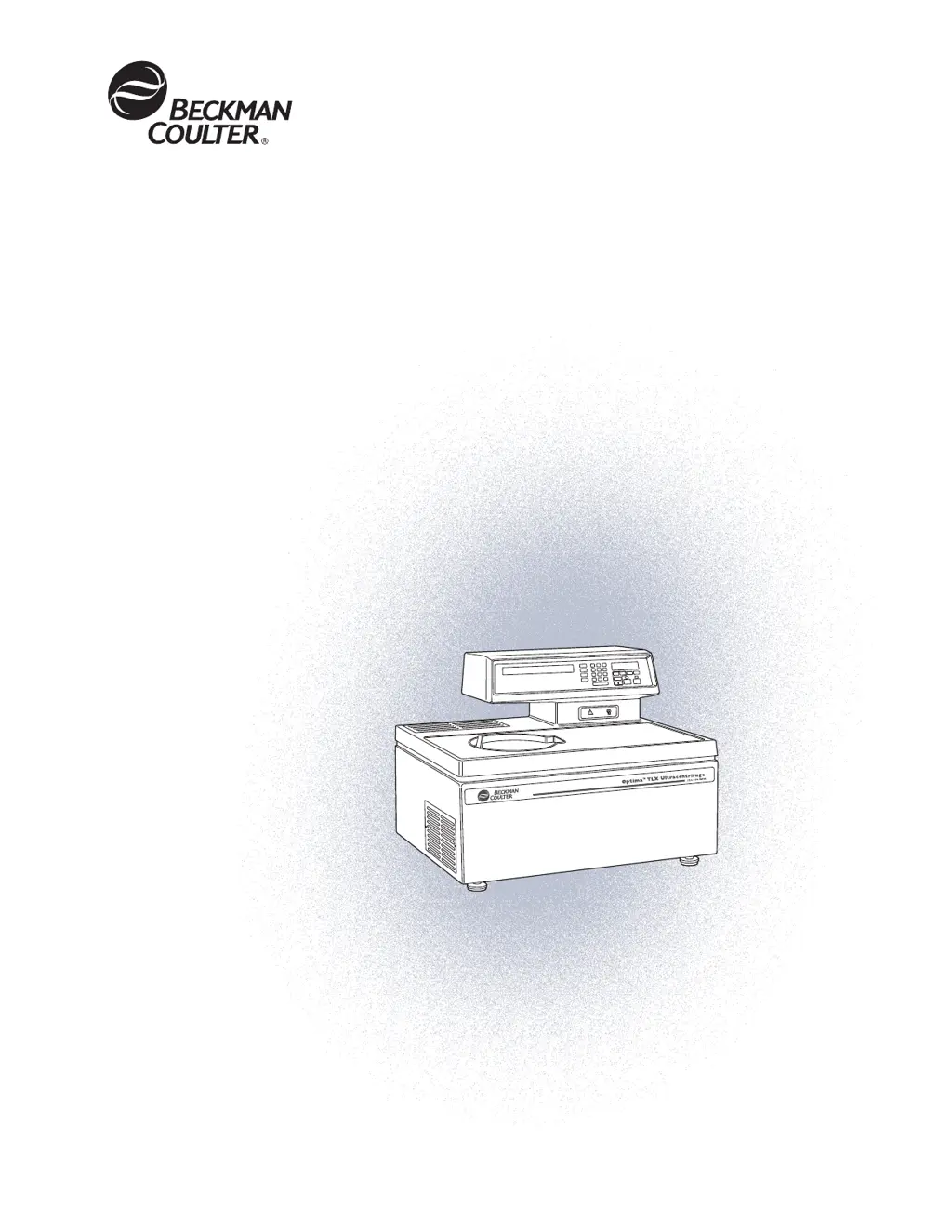
Beckman Coulter Optima TLX - User Manual

Beckman Coulter Optima TLX
57 pages
Print Icon
To Next Page IconTo Next Page
Loading...
TLX-IM-9
Instruction Manual
Optima
TLX
Preparative Ultracentrifuge
TM

Table of Contents

Questions and Answers

  • C
    Cindy JordanAug 13, 2025
    What to do if the 'Door open or unlocked' message appears on Beckman Coulter Laboratory Equipment?
    • R
      Richard NelsonAug 13, 2025
      If the chamber door is unlocked or open, this message will appear. Close the door properly before starting. If the DOOR indicator flashes during centrifugation, it indicates a door lock malfunction. Do not try to open the door until the rotor stops. Once stopped, inspect the door and chamber O-ring. If the message persists without a clear cause, contact Beckman Coulter Field Service.
  • J
    Jacob ChanAug 17, 2025
    Why am I getting a speed-related malfunction error on my Beckman Coulter Laboratory Equipment?
    • M
      Mark JenkinsAug 17, 2025
      This message may indicate several speed-related issues, such as starting a run without a rotor, rotor imbalance at high speed, rotor overspeeding, or an unreliable speed signal.
  • M
    Mark JohnsonAug 21, 2025
    What to do if there is loss of chamber vacuum in Beckman Coulter Laboratory Equipment?
    • K
      Kristina CollinsAug 21, 2025
      This message indicates that the chamber pressure is above 500 microns or the door is open. Ensure the chamber O-ring is properly lubricated and undamaged. Check for sample leakage and clean the rotor chamber if needed. The vacuum pump may have moisture; leave the instrument on with the door closed for about 3 hours (or overnight) to let the pump purge moisture. If the message continues, contact Beckman Coulter Field Service.
  • M
    Matthew WeaverAug 25, 2025
    What happens if there is a loss of power during centrifugation with Beckman Coulter Laboratory Equipment?
    • Q
      qallenAug 26, 2025
      If a power outage occurs during a run, and power is restored while the rotor is still spinning, the run will resume and the rotor will return to the set speed. If the rotor stops, restart the run. Press [ce] to clear the flashing PWR message.
  • L
    Laurie CannonAug 29, 2025
    What to do if the drive has overheated in Beckman Coulter Laboratory Equipment?
    • J
      james61Aug 29, 2025
      Check the air-intake louvers for any blockages and clean them if necessary. Press [ce] to clear the message. If the message reappears when you restart the run, call Beckman Coulter Field Service.
  • A
    Amanda TranSep 1, 2025
    What should I do if there is a rotor imbalance at low speeds in my Beckman Coulter Laboratory Equipment?
    • J
      jacqueline51Sep 1, 2025
      Press [ce] to clear the message. Press [DOOR] to vent the chamber and open the door. Make sure that the rotor is locked on the drive hub. Check the balance and placement of tubes and/or buckets.
  • S
    samanthavillarrealSep 5, 2025
    What to do if there is excessive or uncontrolled rotor temperature in Beckman Coulter Laboratory Equipment?
    • J
      johnkempSep 5, 2025
      Press [ce] to clear the message. If the message reappears, call Beckman Coulter Field Service.
  • B
    Becky RaymondSep 9, 2025
    How to fix a microprocessor malfunction in Beckman Coulter Laboratory Equipment?
    • B
      Brian HenrySep 9, 2025
      If the microprocessor malfunction was caused by power failure, the error can be cleared by turning the instrument off and back on; otherwise no operator solution. Contact Beckman Coulter Field Service.

Summary

Introduction

Scope and Purpose

Outlines the manual's objective to familiarize users with the ultracentrifuge's functions, specifications, operation, and maintenance.

Important Information and Conventions

Covers essential notes, cautions, warnings, typographic conventions, and regulatory compliance like CFC-free operation and recycling.

Description

Component Descriptions

Details the rotor chamber, vacuum system, temperature control, and drive system of the ultracentrifuge.

User Interface and Controls

Explains the control panel, digital displays, and indicators used for operating and monitoring the instrument.

Operation and Control Keys

Describes user messages, run-parameter keys, the keypad, and specific function keys for operating the ultracentrifuge.

Safety and Physical Features

Covers safety features, door lock mechanism, barrier rings, imbalance detector, and overspeed system.

Specifications and Rotors

Lists technical specifications, dimensions, electrical requirements, and available rotors for the ultracentrifuge.

Operation

Run Procedure Summary

Provides a concise overview of both programmed and manual run procedures for quick reference.

Programmed Operation

Details how to create, start, recall, change, and delete programmed runs using the ultracentrifuge.

Manual Operation

Guides users through manual operation, including rotor installation, parameter entry, and starting a run.

Program Management

Explains procedures for recalling, changing, and deleting stored programs on the ultracentrifuge.

Troubleshooting

User Messages

Lists and explains the meaning and recommended actions for various user messages displayed on the control panel.

Power Failure Recovery

Provides instructions for retrieving samples in case of a power failure, including manual door unlocking.

Circuit Breaker Issues

Advises on troubleshooting repeated circuit breaker trips and when to contact service personnel.

Maintenance

Routine Maintenance

Covers instrument care, vacuum system maintenance, drive hub cleaning, louvers, general cleaning, and decontamination.

Sterilization and Storage

Provides guidance on instrument sterilization, disinfection, and requirements for storage and transportation.

Parts and Supplies

Lists replacement parts and common supplies, including contact information for ordering.

Beckman Coulter Optima TLX Specifications

General IconGeneral
TypeUltracentrifuge
Maximum Speed100, 000 rpm
Temperature Range-10 °C to 40 °C
Temperature ControlYes
Temperature Accuracy±1 °C
Control InterfaceTouchscreen
Frequency50/60 Hz
Rotor TypesFixed-angle, swinging bucket, vertical tube
Control PanelDigital
ProgramsMultiple programmable protocols
Vacuum SystemYes
TimerUp to 99 hours, 59 minutes
Voltage200-240 VAC

Related product manuals