Remember that some settings are common for all profiles and can not be saved on a per-
profile basis. Parameters such as sensor orientation, hardware configuration, RC inputs, and
motor outs are the same across all profiles.
The software starts in English. To change the interface language, choose one in the
“language” menu and restart the program.
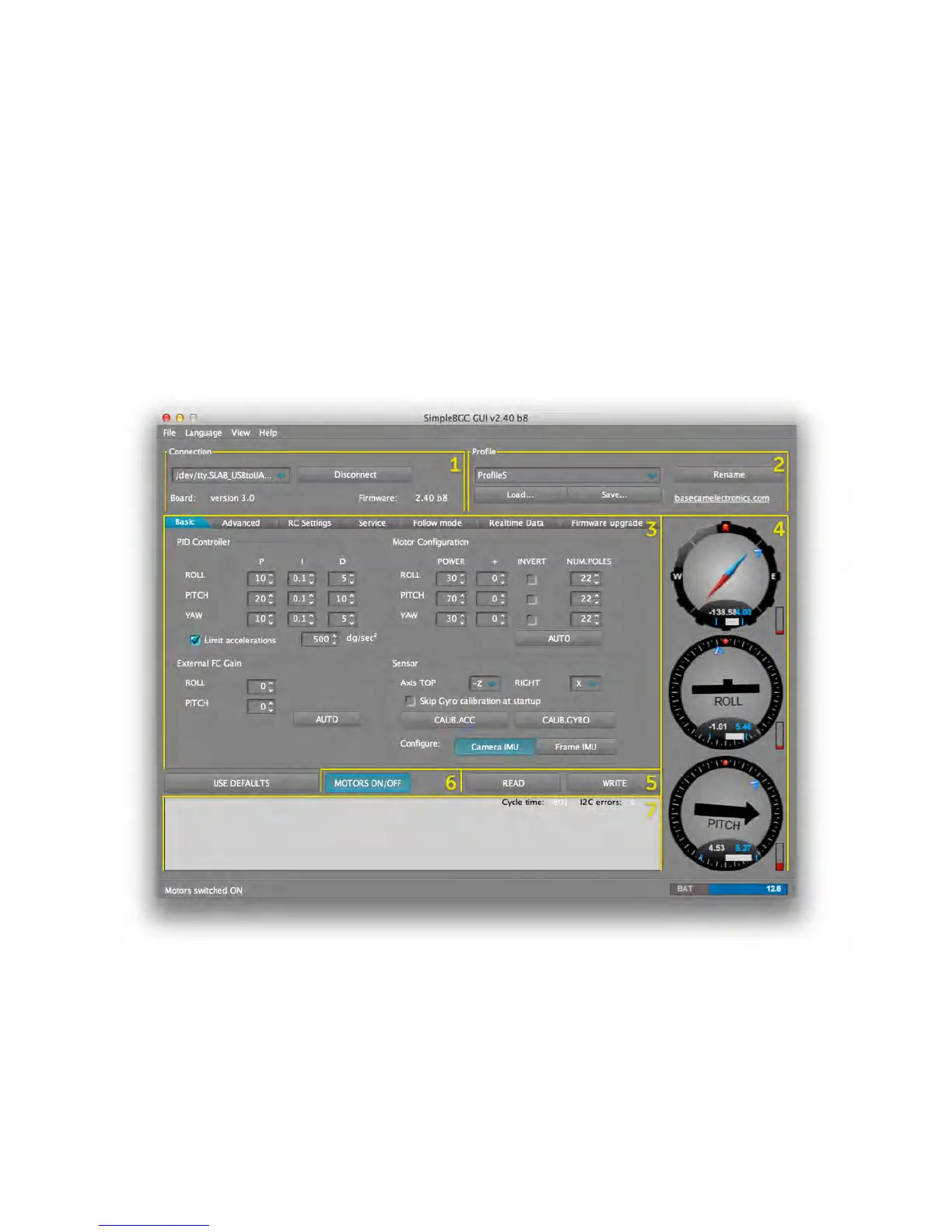
SimpleBGC GUI LAYOUT
SimpleBGC GUI contains seven main sections, as illustrated below in Figure 4.1.
1. Connection – COM-port selection and connection status.
2. Profile – Select, rename, load, and save different profiles.
3. Configuration – Central part of the window, organized into seven tabs:



 To Next Page