– 12 –
behrotest
®
K8 / K12 / K20 / K16 / K24 / K40
059111
Configuring the K8 / K12 / K20 / K16 /
K24 / K40 to meet your needs
You can, in fact, use your K8 / K12 / K20 / K16 / K24 /
K40 for analyses right now. You should, however, take a
couple of minutes to perform one or two settings.
These settings can, of course, also be made or modified
at a later time.
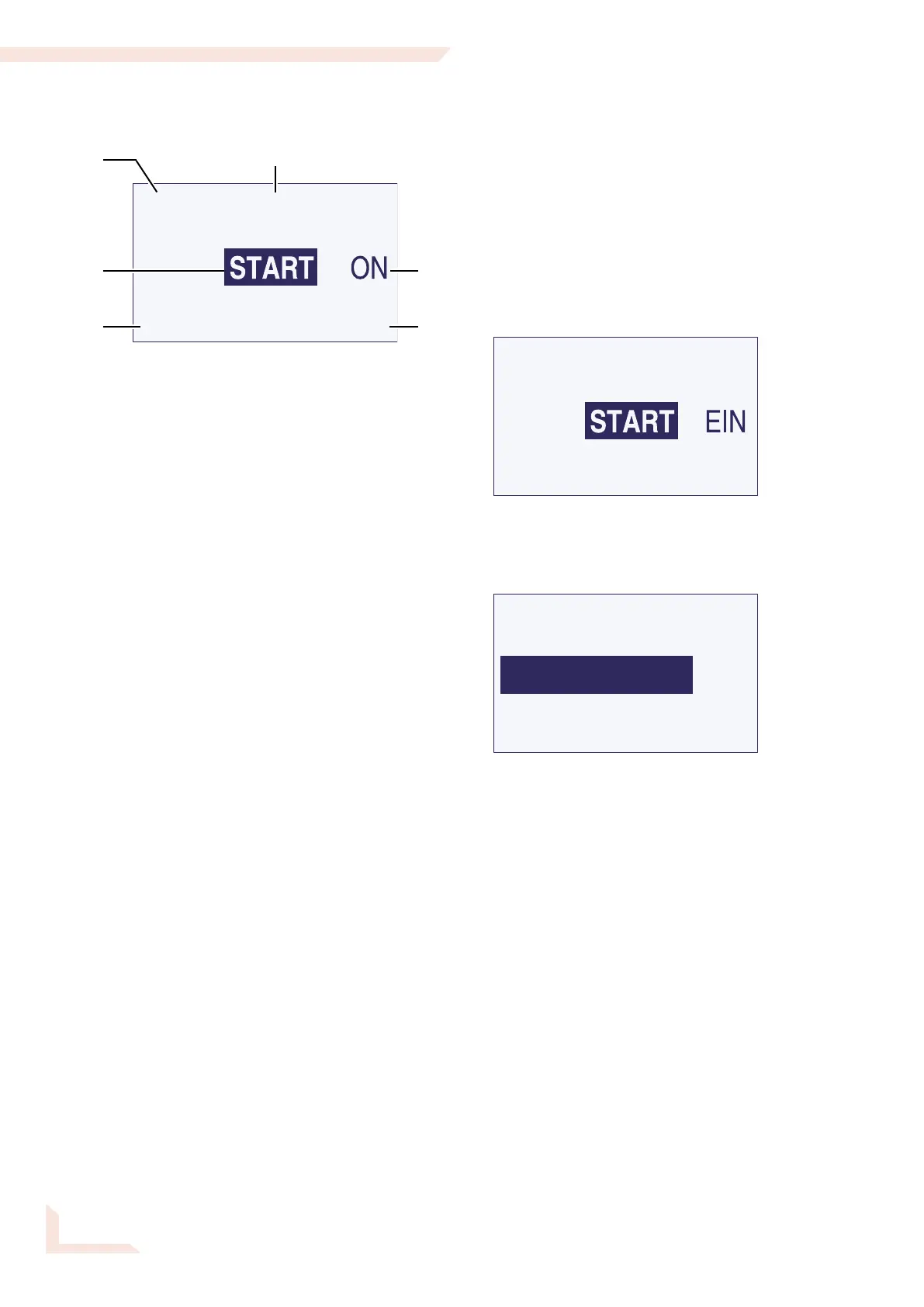
This screen will appear when the unit is switched on:
Turn the operating button until the ==>> menu item
is indicated and then press the button. The following
menu will appear:
GERAET
PROGRAMM
<<== zurück
01
Select the Geraet (Device) menu item.
You will then move to a menu consisting of two
pages.
Select the required entry by turning the operating but-
ton if you wish to change a setting. Press the button to
select the entry and set the required value by turning the
button. Store the value by pressing the operating button
again.
The Start menu
1 If a program has been started, or the unit is preheat-
ing, the target temperature is displayed here.
If no program is running, but a starting time has been
selected, the starting time is displayed here.
This box is otherwise blank.
2 The temperature currently measured by the tempera-
ture sensor is always displayed here.
3 „Start” menu item: The temperature program most
recently selected starts if this menu item is selected.
What program this is is1 indicated at bottom left.
4 „Preheat ON/OFF“ menu item: the K8 / K12 /
K20 will preheat to the starting temperature for the
temperature program selected if this menu item is
selected. The menu item will then change to „OFF“.
Select „OFF“ in order to switch the heating function
off again.
5 The program currently selected, and the program
step reached, are indicated here.
6 „Continue“ menu item: select this menu item to
access other possible settings. You can
- select another program
- write a new program
- configure the unit to your needs
3
1
65
4
2


 To Next Page