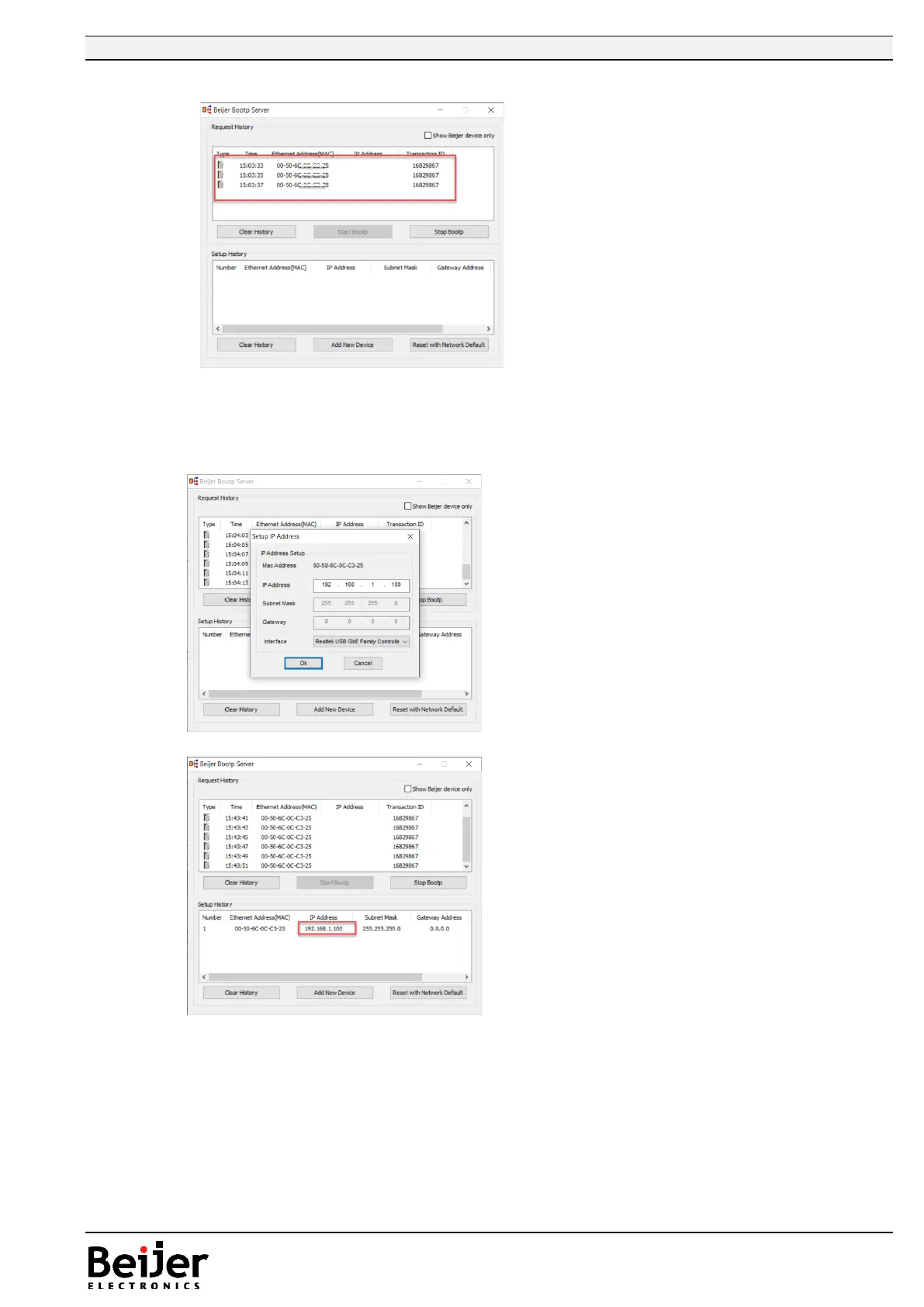
8. Power on the GL-9089/GN-9289 device, and the device will be shown in the BootP server.
Double click on one of the marked rows above.
The MAC address is default entered, type required IP address, Subnet and Gateway. Select the
correct “Interface”, PC:s Ethernet connection to the GL-9089/GN-9289 and push “Ok”.
9. Now press “Stop BootP”.
10. Reset the DIP switch 9 to OFF, and reboot the GL-9089/GN-9289 device.
11. If the IP is set to a different subnet then change the IP address of your computer accordingly.


 To Next Page