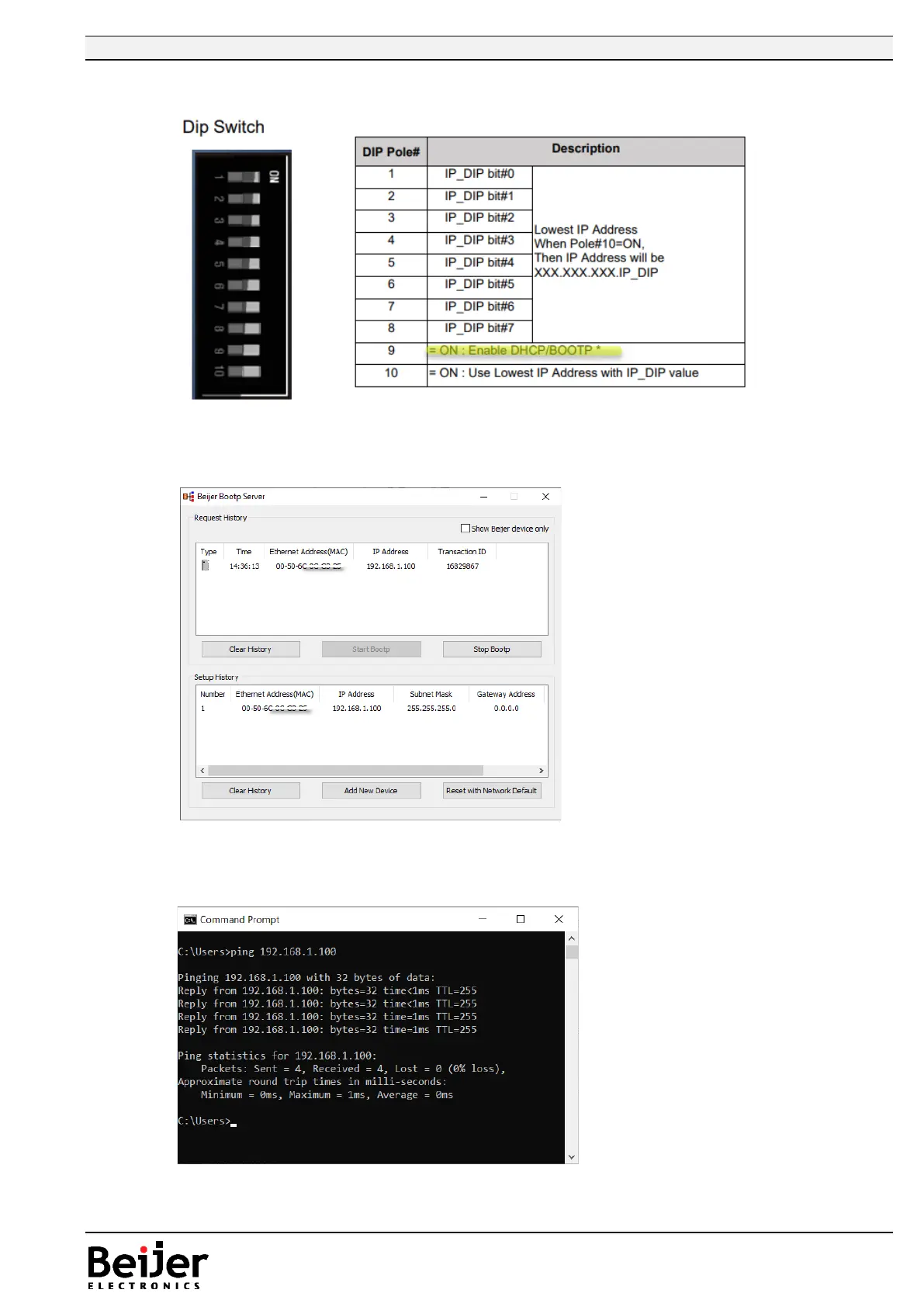
6. Power OFF the GL-9089/GN-9289 and set DIP switch 9 to ON (BOOTP).
7. Power on the GL-9089/GN-9289 device, and the device will get the new IP address from the
BootP server, it appears in the upper window.
8. “Stop Bootp” and reset DIP switch 9 to OFF, and reboot the GL-9089/GN-9289 device.
9. If the IP is set to a different subnet then change the IP address of your computer accordingly.
10. Try to ping the device with new IP address.
Close the BOOTP Server.


 To Next Page