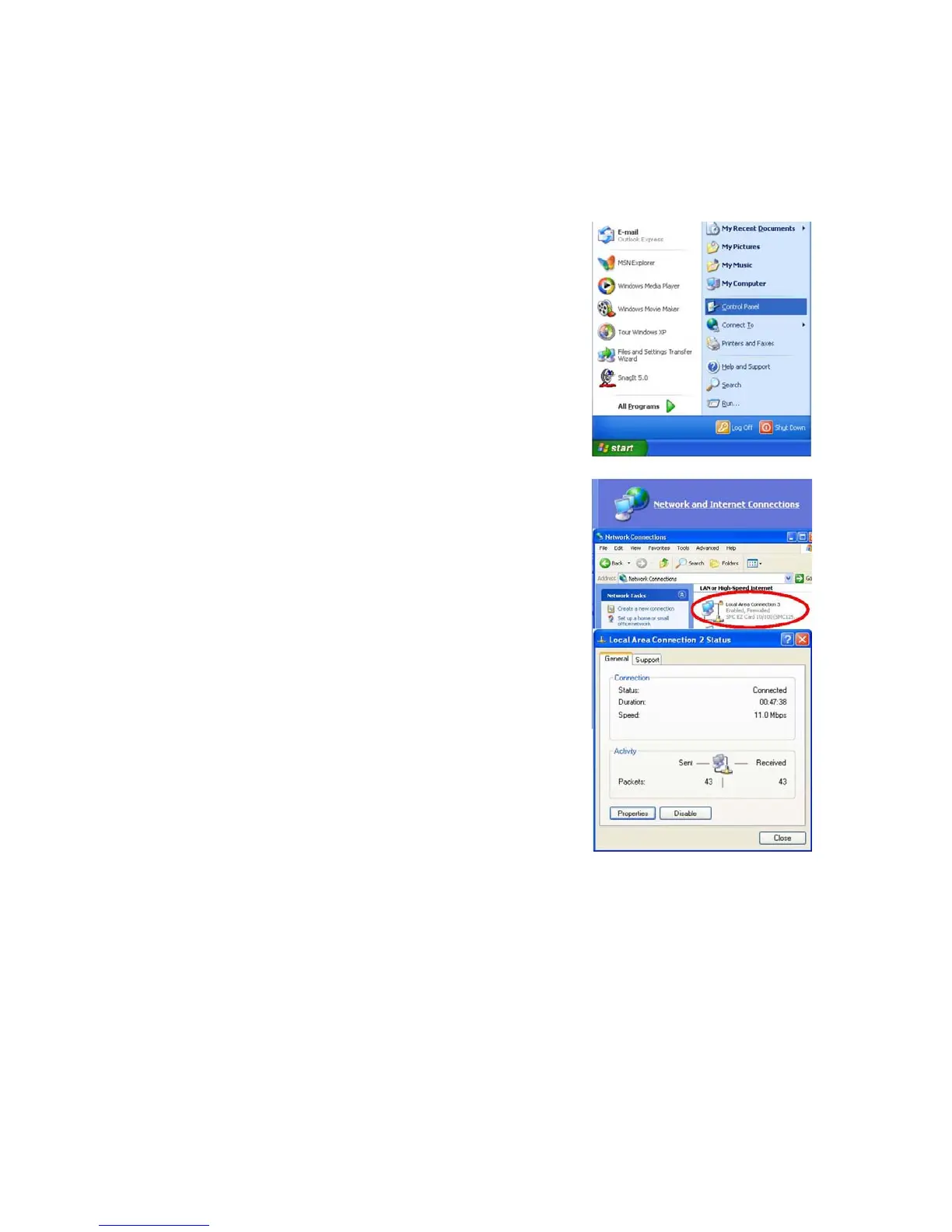
• In the Control Panel window, click Network and Internet Connections.
• The Network Connections window will open. Locate and double-click the Local Area
Connection icon for the Ethernet adapter that is connected to the Belgacom b-box.
• In the connection status screen, click Properties.
• Double-click Internet Protocol (TCP/IP).
• If “Obtain an IP address automatically” and “Obtain DNS server address automatically”
are already selected, your computer is already configured for DHCP. Click Cancel to
close each window.
16


 To Next Page